Does it support CGST, SGST and IGST?
Yes. The invoice path supports CGST plus SGST for intra-state supply and IGST for inter-state supply, based on the recorded tax details.
Built for the front desk. Ready for the next job. Explore the product
Create an invoice from job lines, with an invoice series, GST treatment and a shareable document.
A garage invoice should reflect the work recorded on the job. Garage Master carries job lines into billing, calculates the applicable CGST and SGST or IGST path, and keeps the issued invoice's identity snapshot.
The working screen
An actual app screen, using synthetic demonstration records. No customer data is shown.
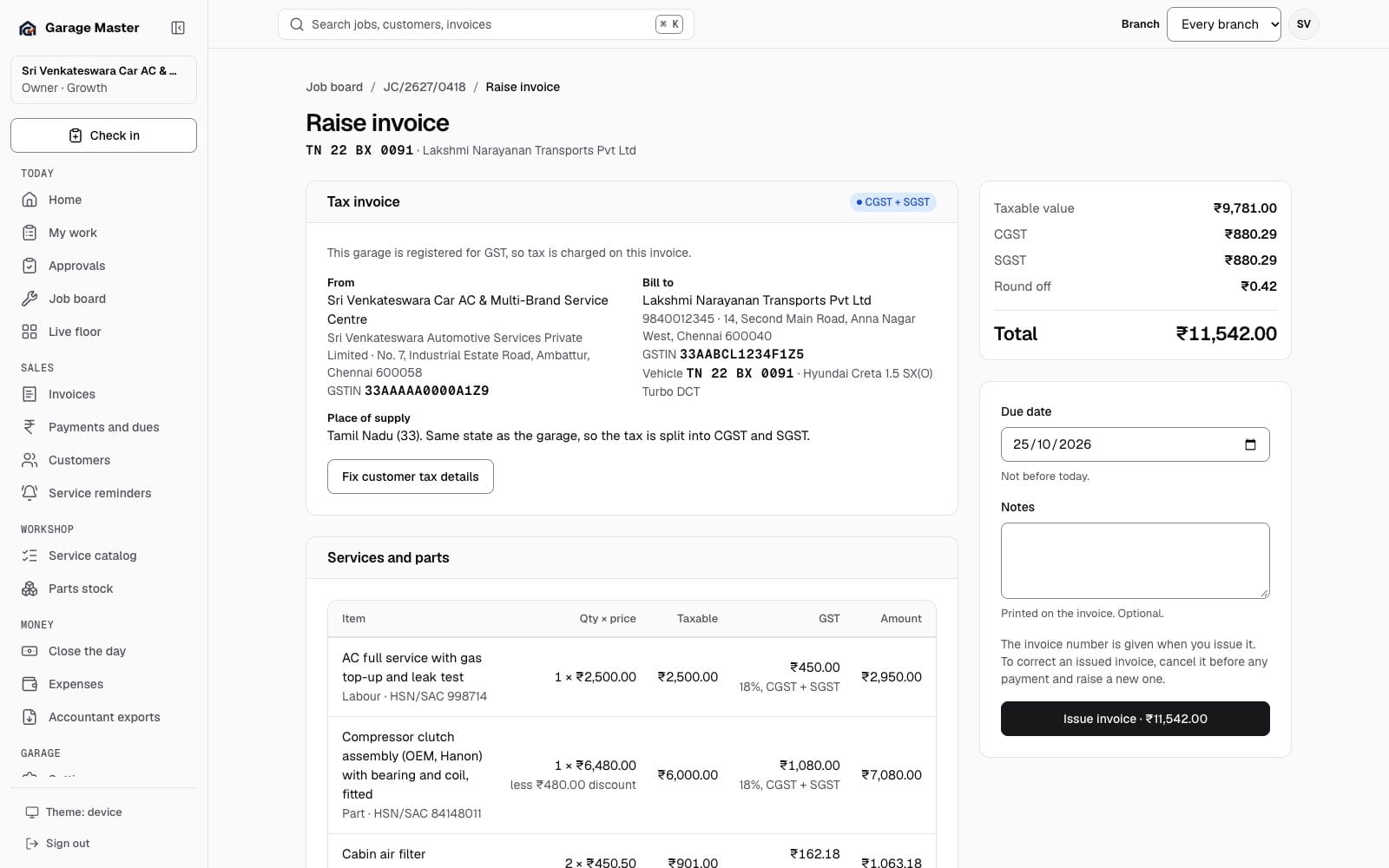
Sample data from the development gallery. The screen is the working app; the garage, people, vehicles and figures are not real.
A sample document
Change the registration and the customer's state. The lines stay the same; the document, the tax columns and the total change with the rule.
Same state: CGST and SGST, half the rate each. Other state: the full rate as IGST.
Tax invoice. CGST ₹205.20 and SGST ₹205.20. Total ₹2,690.
Sri Ram Auto Works
Ambattur, Chennai 600 058
GSTIN 33AABCU9603R1ZM
Tax invoice
GM/2627/0142| Work | Qty | Price | Taxable |
|---|---|---|---|
| AC gas refill and leak test998714 · 18% | 1 | ₹1,450.00 | ₹1,450.00 |
| Cabin air filter8421 · 18% | 1 | ₹680.00 | ₹680.00 |
| Workshop consumables38200000 · 18% | 1 | ₹150.00 | ₹150.00 |
Sample document from invented records. The garage and the customer are not real.
How it works
Start from the job card and check its labour and parts lines before issuing.
Confirm the garage and customer details. The invoice follows the intra-state or inter-state GST path where applicable.
Use the garage's invoice series, then print, download or share the document.
Before you begin
Review tax details with your accountant before issuing. Garage Master does not file GST returns or provide government e-invoicing in this release.
Yes. The invoice path supports CGST plus SGST for intra-state supply and IGST for inter-state supply, based on the recorded tax details.
The current billing path supports bill of supply wording for the relevant garage setup.
No. GST return filing and government e-invoicing are outside the current MVP.
Continue exploring
Your first bay
Start with one garage, one team and the work already on your floor.