Can I record a part payment?
Yes. You can record a payment below the invoice total and retain the remaining balance as a due.
Built for the front desk. Ready for the next job. Explore the product
Record cash, UPI or card payments against invoices, including part payments, and keep the remaining balance visible.
An invoice can be issued before the full amount arrives. Garage Master records each payment against that invoice and shows the remaining balance in a dues view.
The working screen
An actual app screen, using synthetic demonstration records. No customer data is shown.
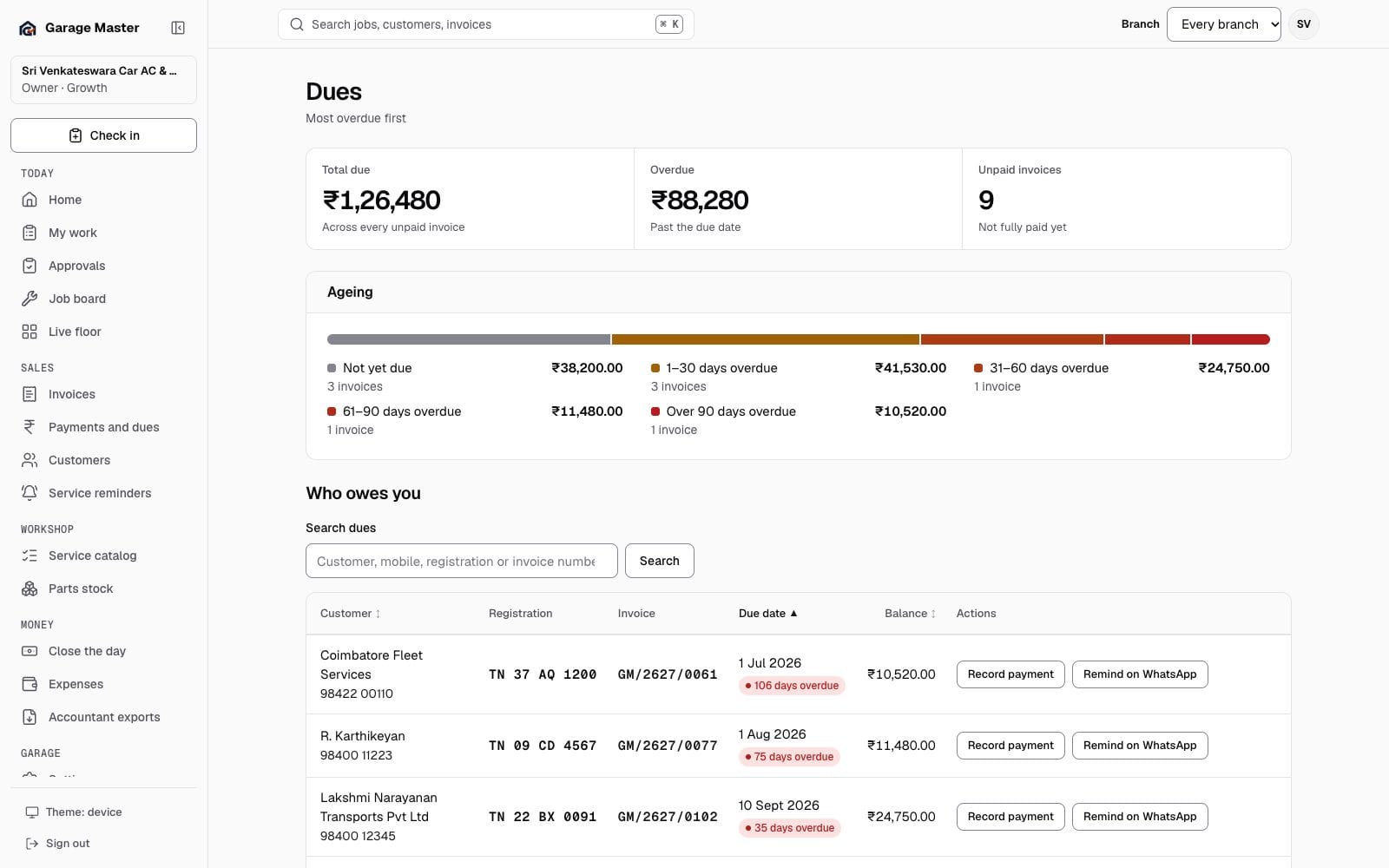
Sample data from the development gallery. The screen is the working app; the garage, people, vehicles and figures are not real.
How it works
The amount due begins with the issued invoice total.
Enter cash, UPI or card payments, including a partial amount when the customer pays in stages.
Use the dues list to see which invoices still have money outstanding and their due dates.
Before you begin
This is a record of collections entered by your team. Bank sync and automatic reconciliation are outside the current release.
Yes. You can record a payment below the invoice total and retain the remaining balance as a due.
No. In the current release it records a UPI payment you received; it does not reconcile a bank or payment gateway automatically.
Authorized users can use the payment reversal workflow with a reason. The original entry remains in the history.
Continue exploring
Your first bay
Start with one garage, one team and the work already on your floor.