What is a garage job card?
It is the record of a vehicle visit: customer, vehicle, requested work, service and part lines, and its progress through the workshop.
Built for the front desk. Ready for the next job. Explore the product
Check in a vehicle, keep the work attached to one job card, and see what is waiting, in a bay, ready or delivered.
A digital job card gives the front desk and the workshop the same record for a vehicle visit. The board makes the current stage visible without asking someone to find a notebook.
The working screen
An actual app screen, using synthetic demonstration records. No customer data is shown.
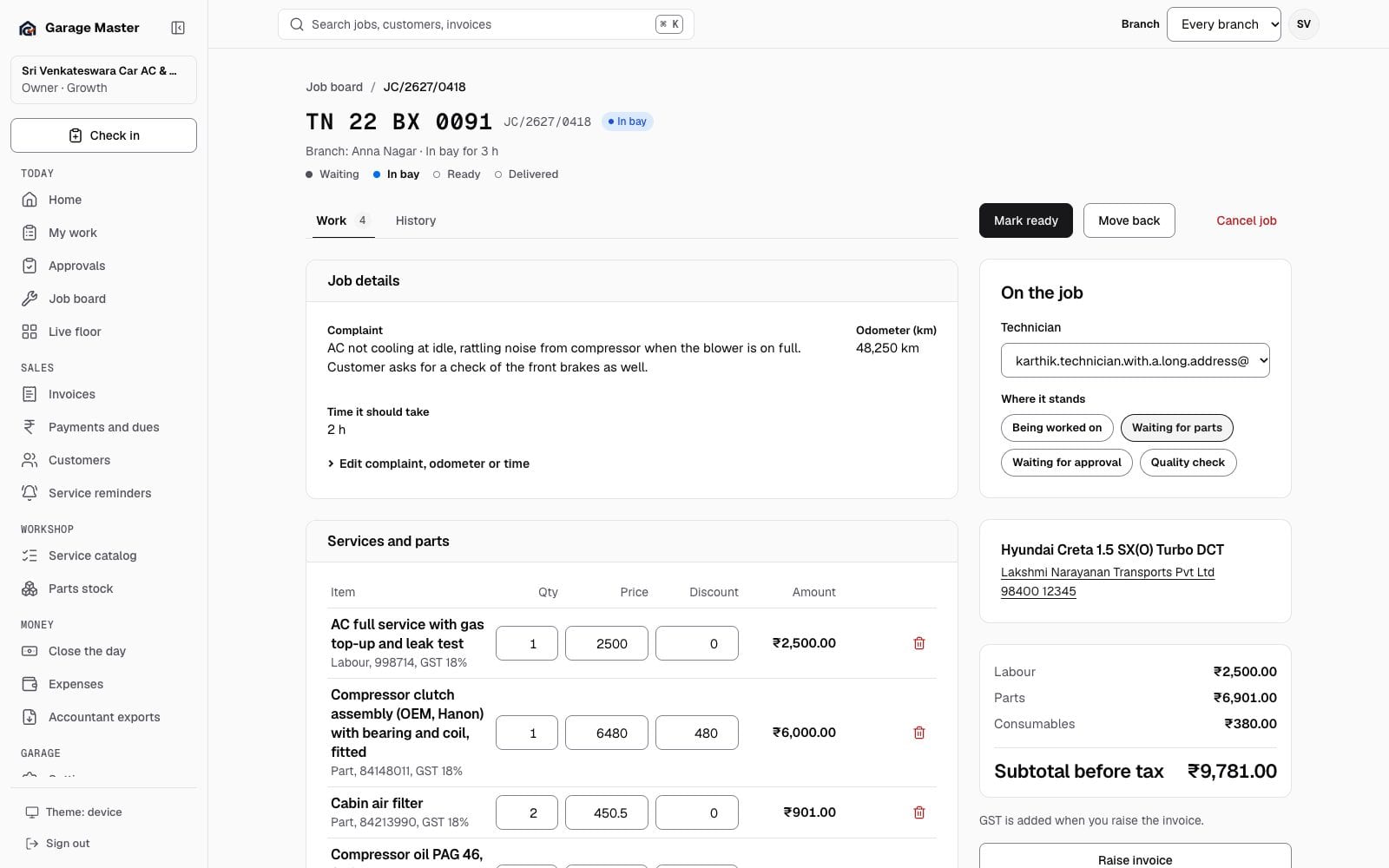
Sample data from the development gallery. The screen is the working app; the garage, people, vehicles and figures are not real.
How it works
Search by registration or customer mobile at check-in. Reuse the customer and vehicle record when it exists.
Add the services and parts for that visit to the job card, with the work still tied to the vehicle.
Use Waiting, In bay, Ready and Delivered to make the next handoff clear.
Before you begin
This page shows sample records. Automatic status messages to the customer are not in the current release.
It is the record of a vehicle visit: customer, vehicle, requested work, service and part lines, and its progress through the workshop.
Garage Master keeps one open job card per vehicle in the current MVP. Finish the open job before starting another visit.
No. Automatic customer status messages are not part of the current release.
Continue exploring
Your first bay
Start with one garage, one team and the work already on your floor.