Does every part have to track stock?
No. Enable stock tracking for the parts you count in the service catalog.
Built for the front desk. Ready for the next job. Explore the product
Receive stock, review quantities reserved for open jobs and see what is available before the next repair.
A shelf count alone does not tell you what is free to use. Garage Master keeps recorded stock on hand alongside quantities held for open jobs, with a history of receipts and changes.
The working screen
An actual app screen, using synthetic demonstration records. No customer data is shown.
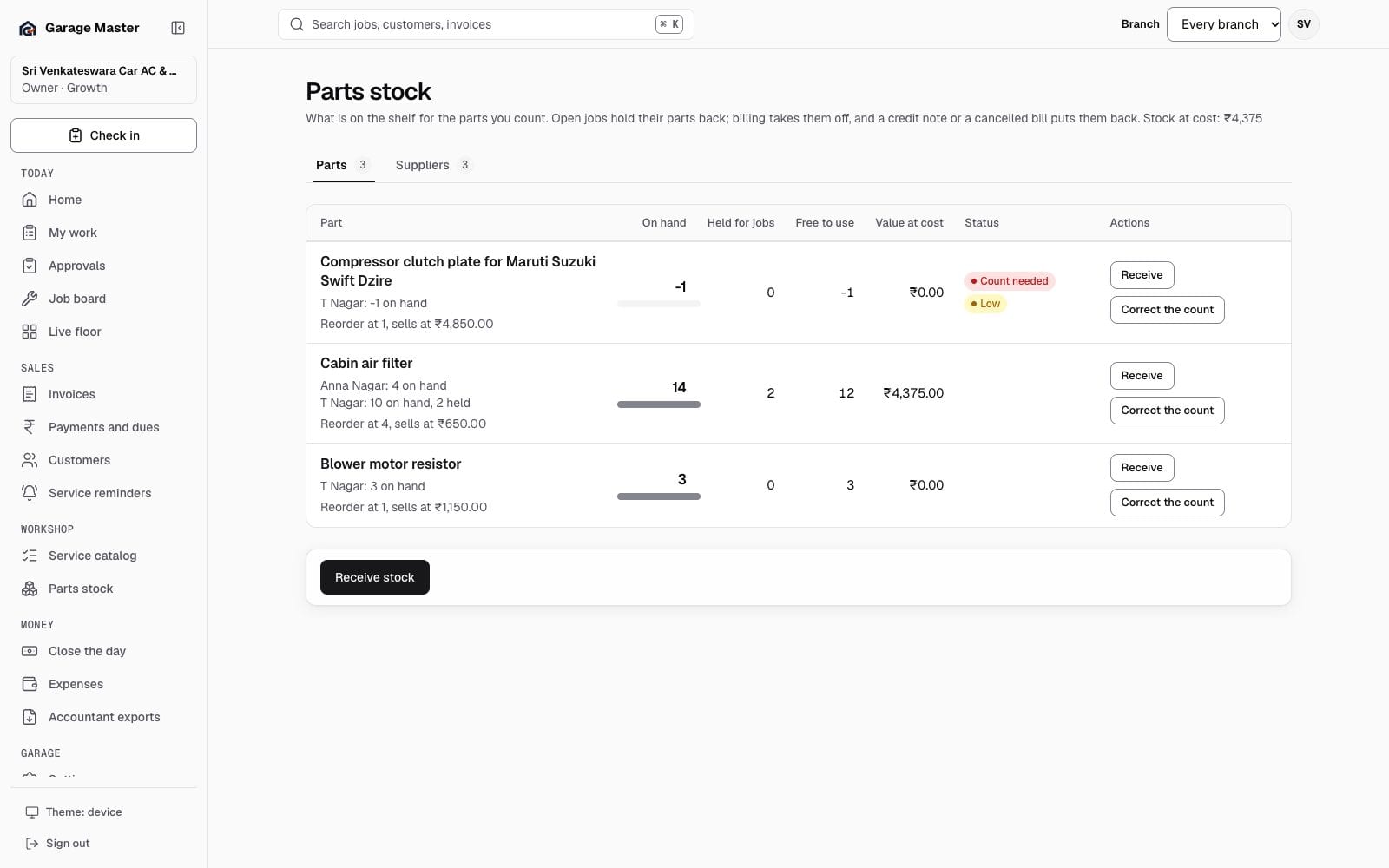
Sample data from the development gallery. The screen is the working app; the garage, people, vehicles and figures are not real.
How it works
Choose a tracked part and record the quantity received. Add supplier bill details and unit cost where available.
Review stock on hand, quantities held for open jobs and the amount free to use. Low-stock indicators use the recorded reorder level.
Check receipt, invoice and correction history. Correct a physical count with a reason through an authorized action.
Before you begin
Stock figures reflect recorded receipts, job holds and movements. Count the physical shelf when checking a discrepancy; availability is not a supplier guarantee.
No. Enable stock tracking for the parts you count in the service catalog.
Open jobs hold their parts back. Issuing the invoice records the stock movement; supported cancellation and credit-note workflows record returns.
No. A low-stock indicator helps your team review replenishment. It does not place an autonomous supplier order.
Continue exploring
Your first bay
Start with one garage, one team and the work already on your floor.