Built for the front desk. Ready for the next job. Explore the product

The working app

Garage Master screensThe app, screen by screen.

The dashboard, the job card, the board, the bill, the dues, the stock, the cash book and the records your accountant asks for. These are the actual screens, shown with synthetic records.
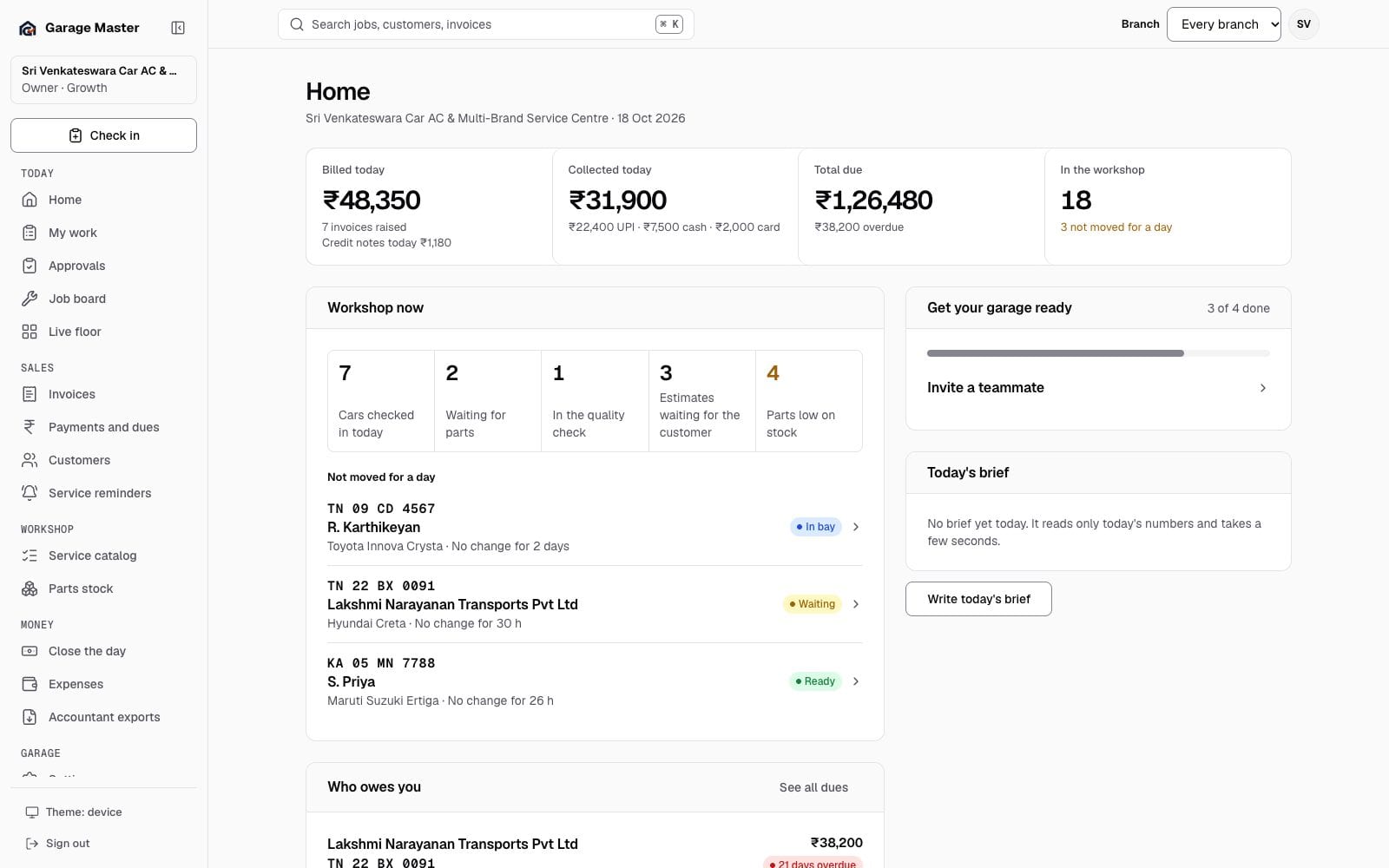
Garage Master owner dashboard with billed, collected and due totals, workshop status and stuck jobs, using synthetic records.
Home dashboardOwner view · sample dataToday

Today

The day on the floor

Check in, the job card, the board, the floor, inspections and the queue waiting on a decision.
Garage Master owner dashboard with billed, collected and due totals, workshop status and stuck jobs, using synthetic records.
Home dashboardOwner view · sample dataToday
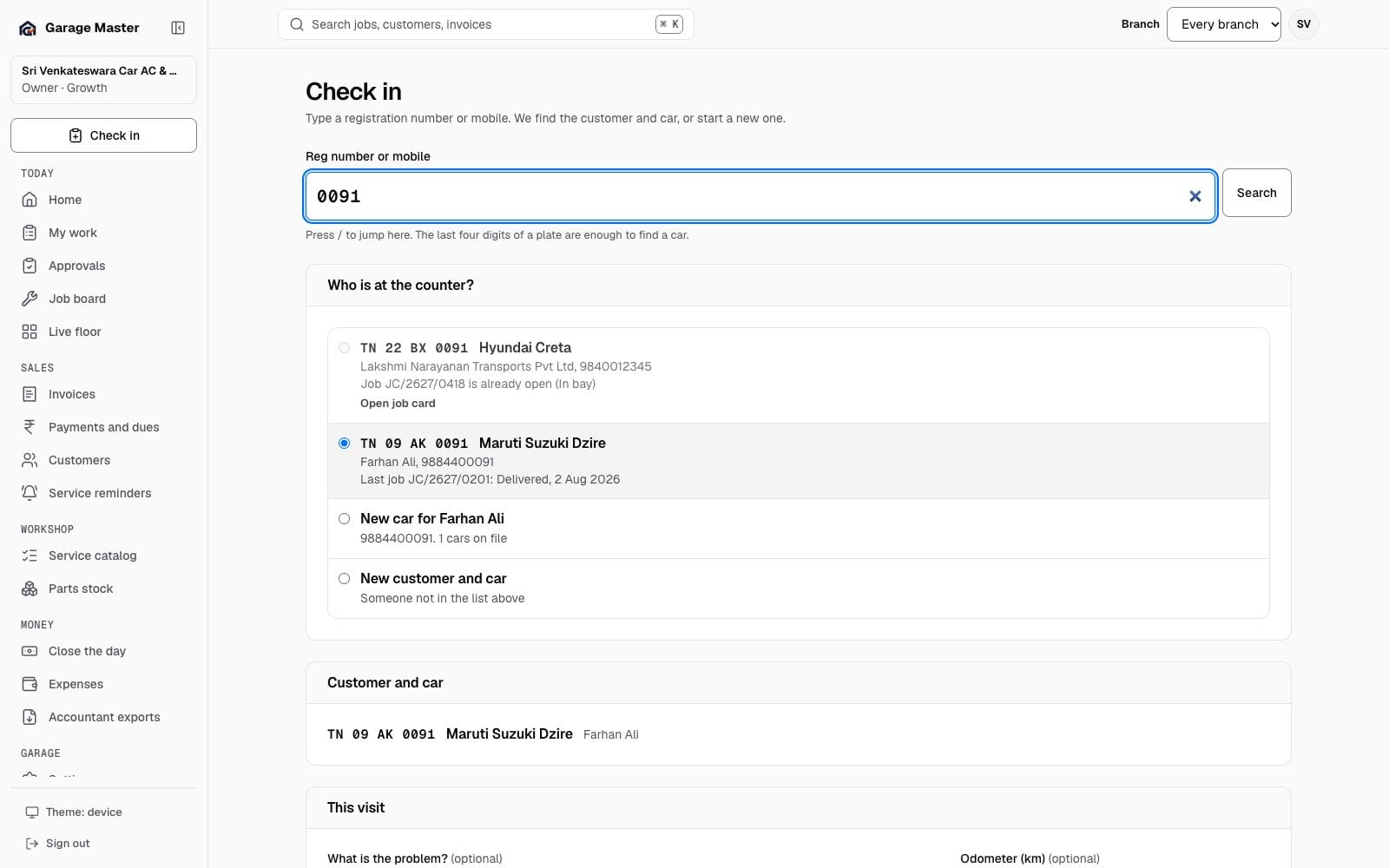
Garage Master check-in screen with a registration search and customer and vehicle fields, using synthetic records.
Check in a vehicleFront desk · sample dataToday
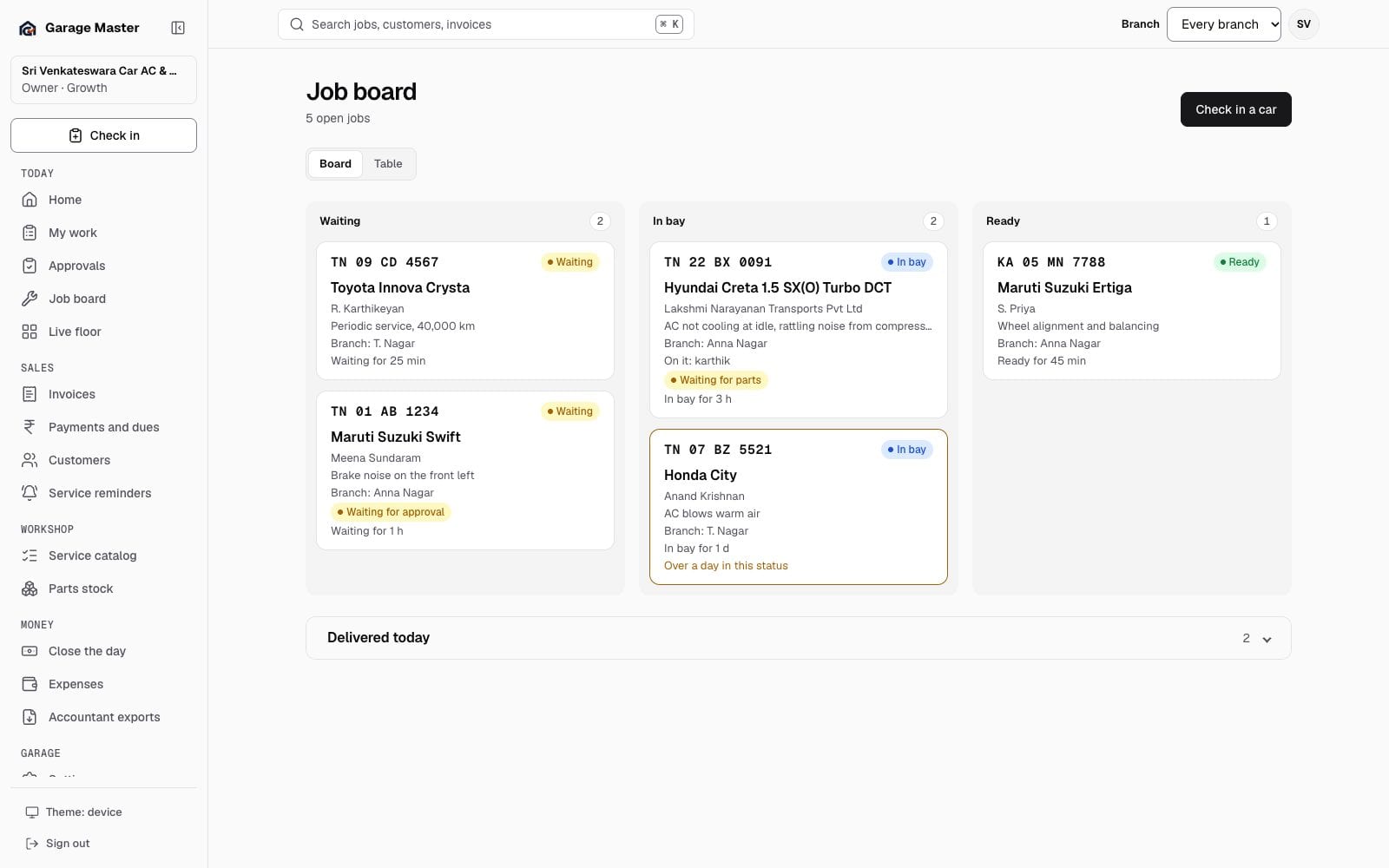
Garage Master job board with cars waiting, in bay, ready and delivered, using synthetic records.
Job boardWorkshop · sample dataToday
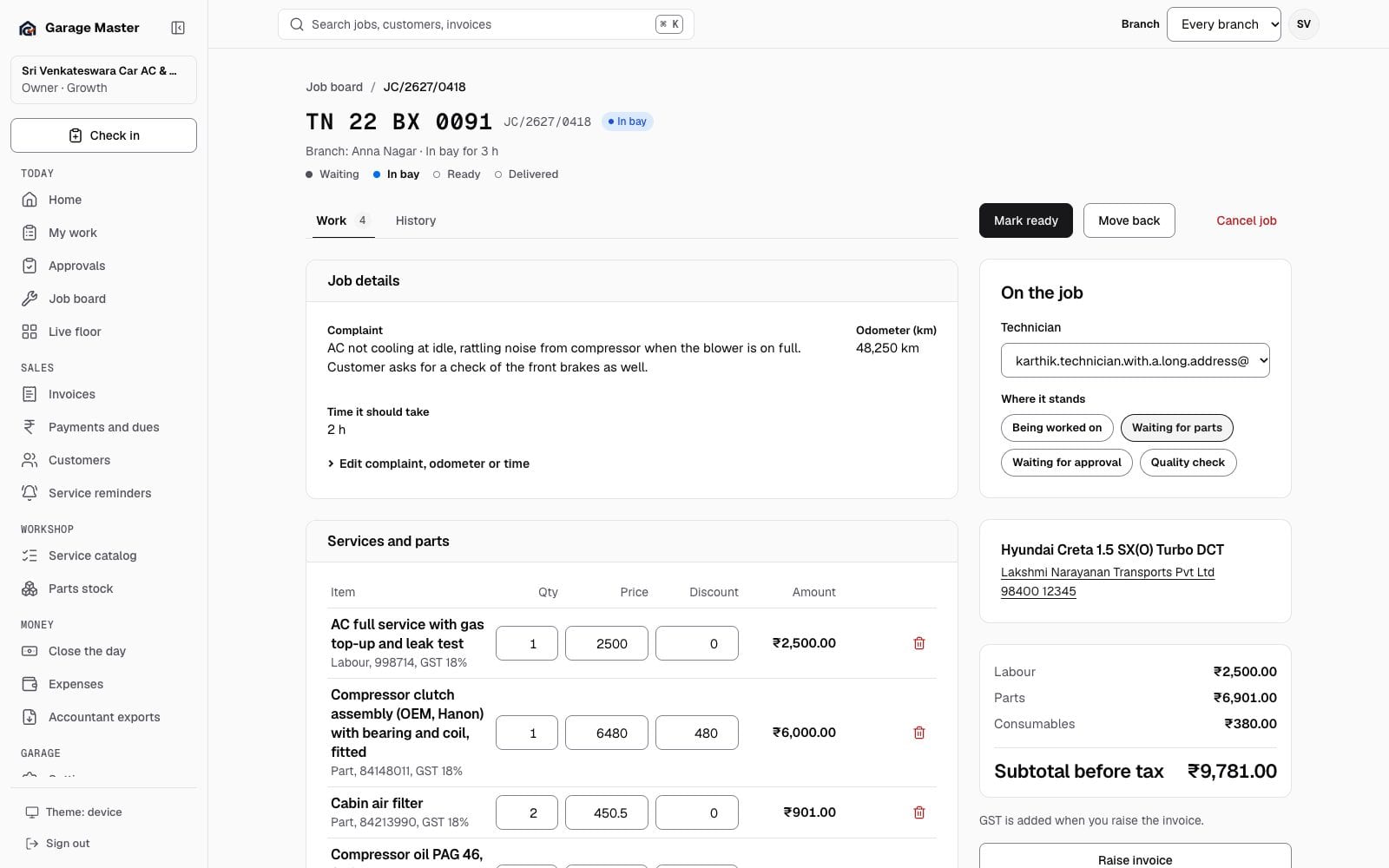
Garage Master job card for a synthetic Hyundai Creta, showing complaint, technician, labour and parts lines and the total before tax.
Job cardWorkshop · sample dataToday
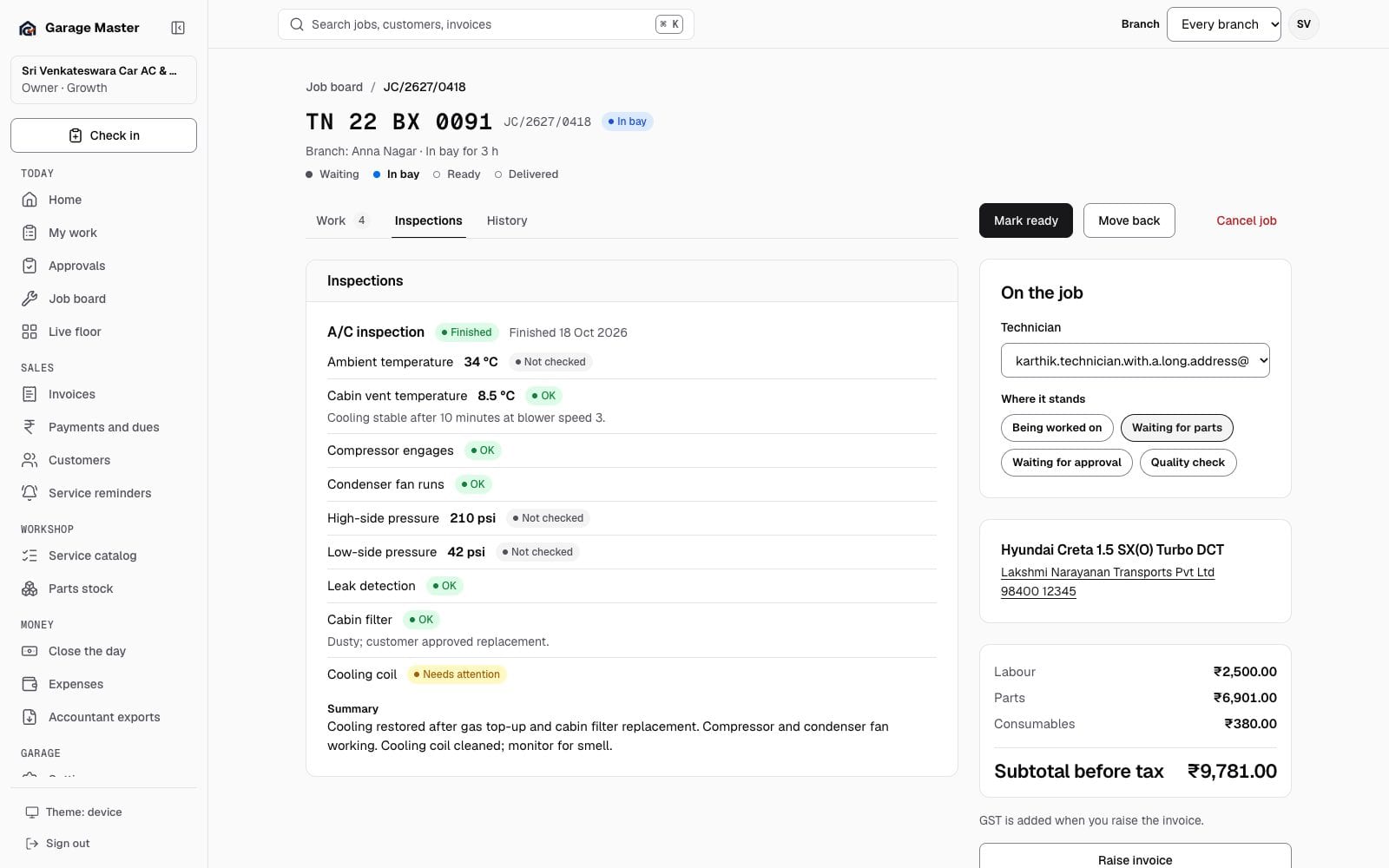
Garage Master finished A/C inspection on a synthetic job card, with readings, results and a summary.
Inspections on the job cardQuality check · sample dataToday
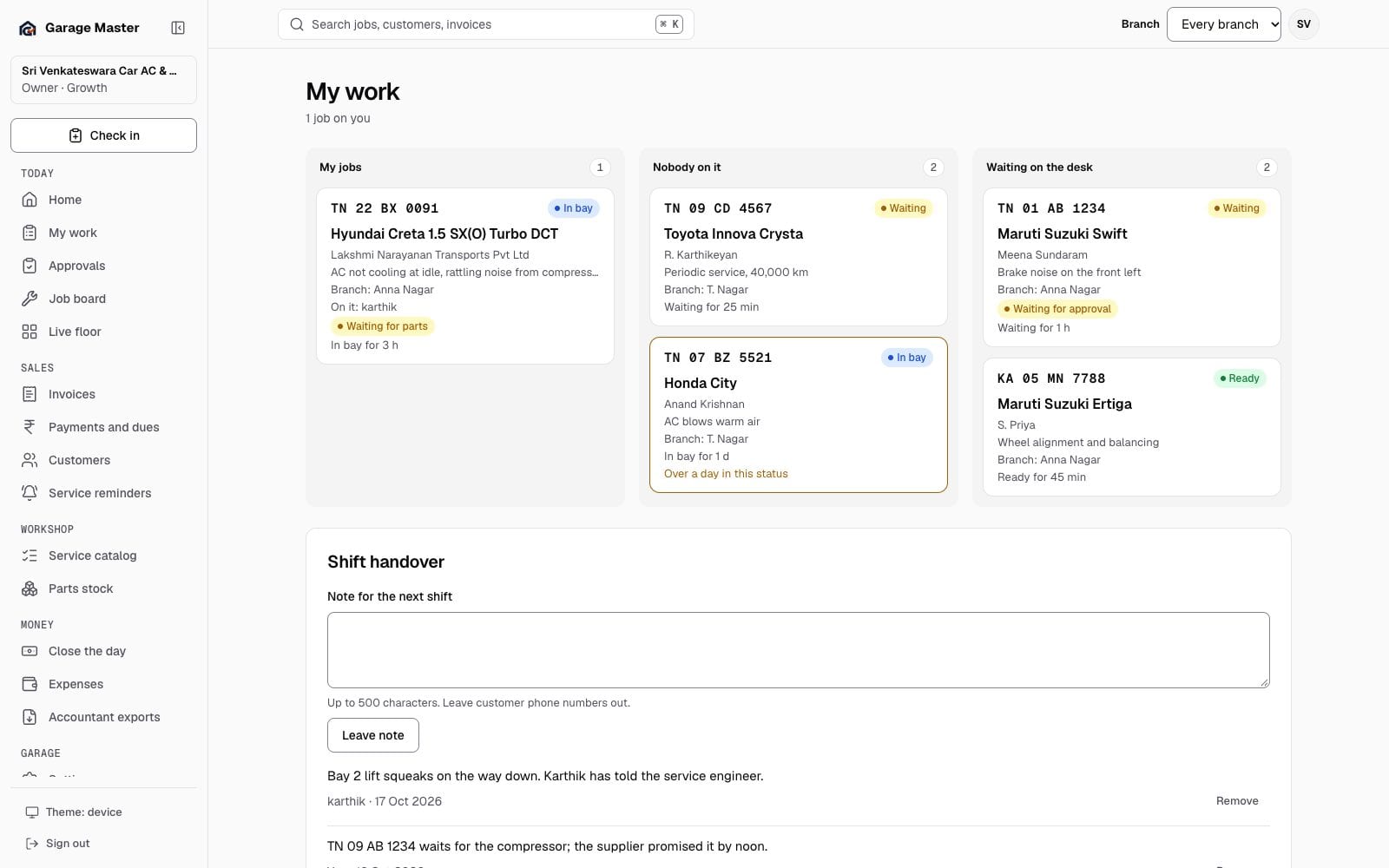
Garage Master My Work screen with an assigned repair job and jobs available to take, using synthetic records.
My WorkTechnician · sample dataToday
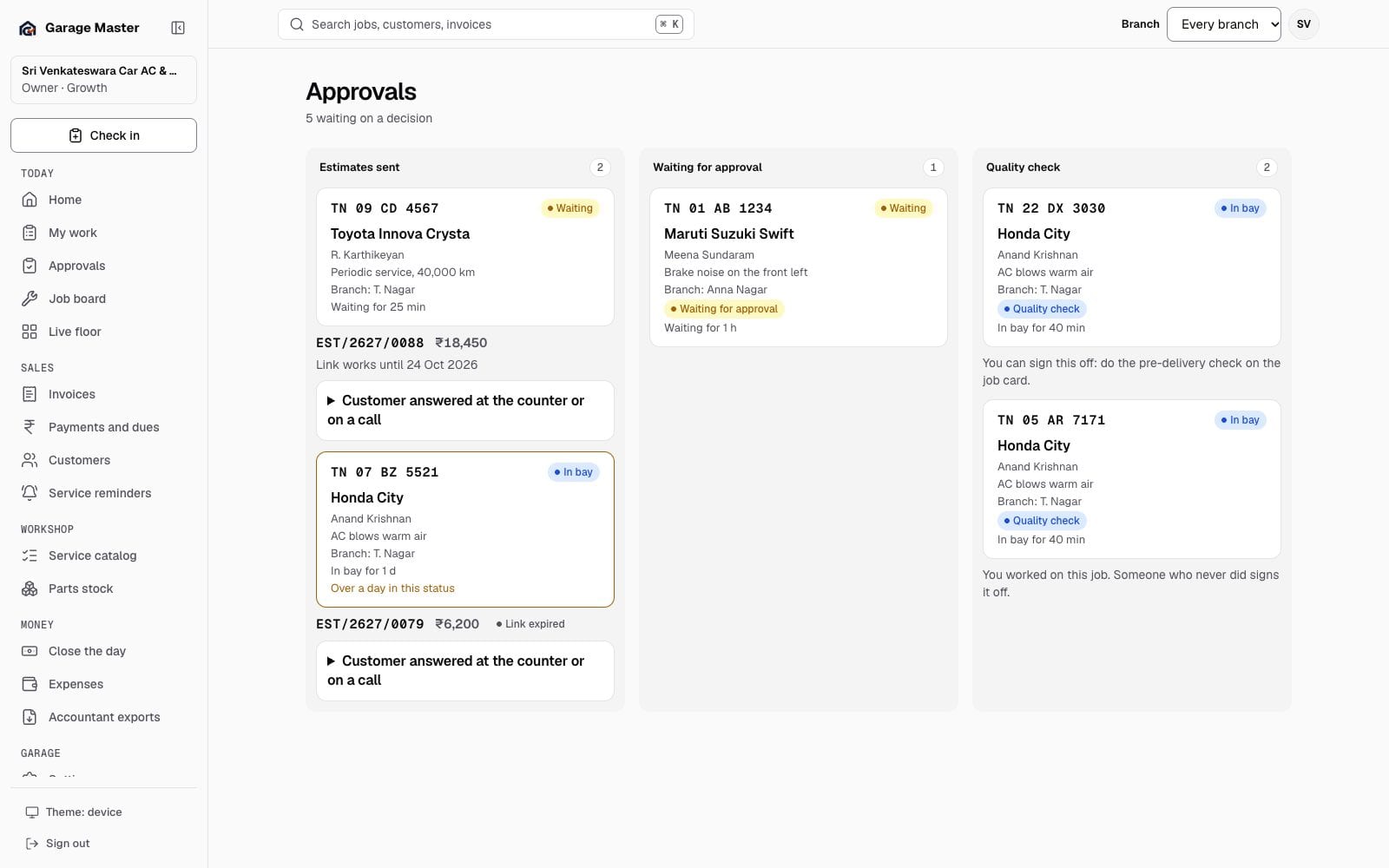
Garage Master approvals screen with estimates sent, waiting for approval and quality checks, using synthetic records.
ApprovalsFront desk · sample dataToday
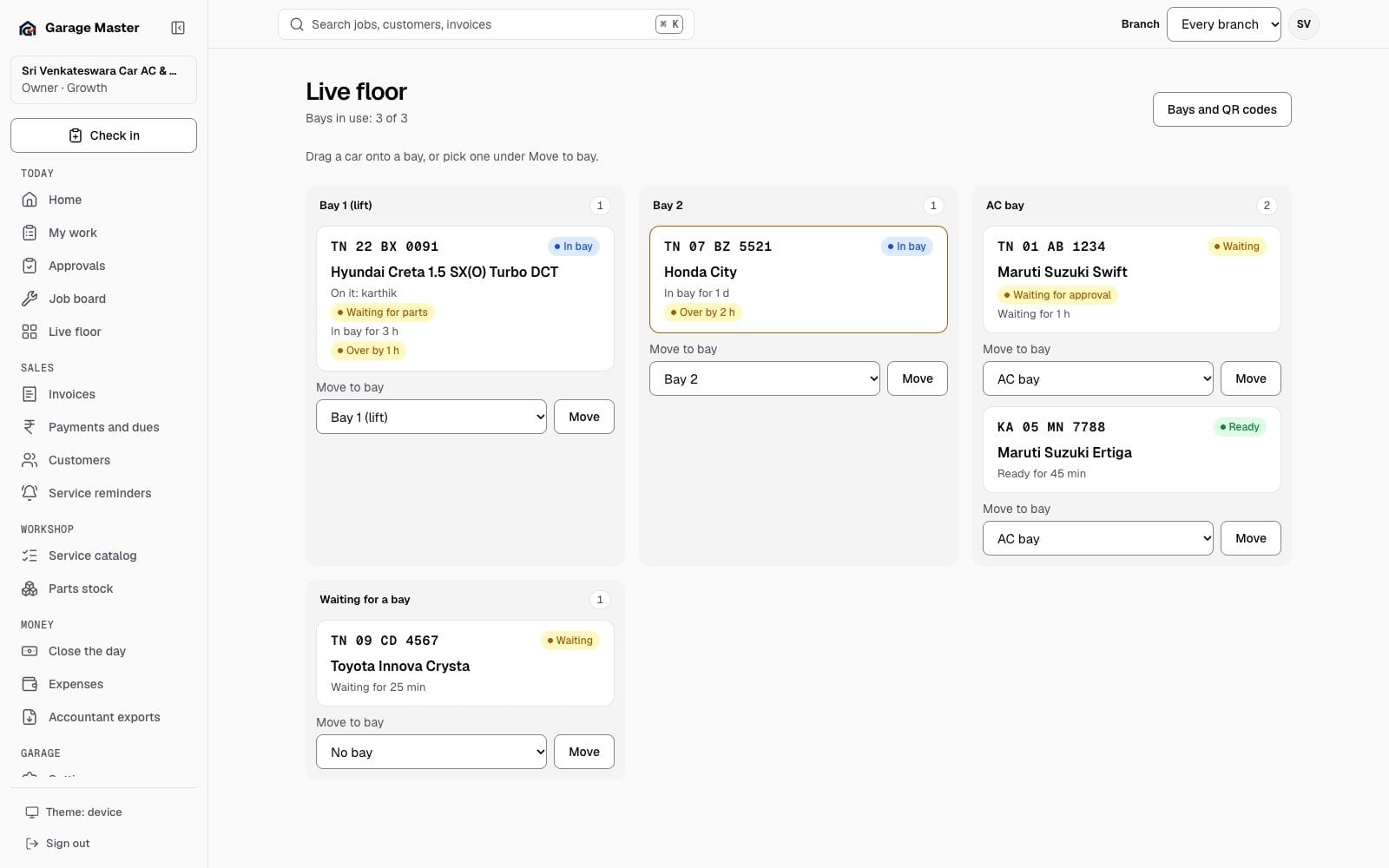
Garage Master live floor with bays and the cars in them, using synthetic records.
Live floorWorkshop · sample dataToday

Sales

The customer and the bill

The invoice list, the right document, the customer record, the balance and the next reminder.
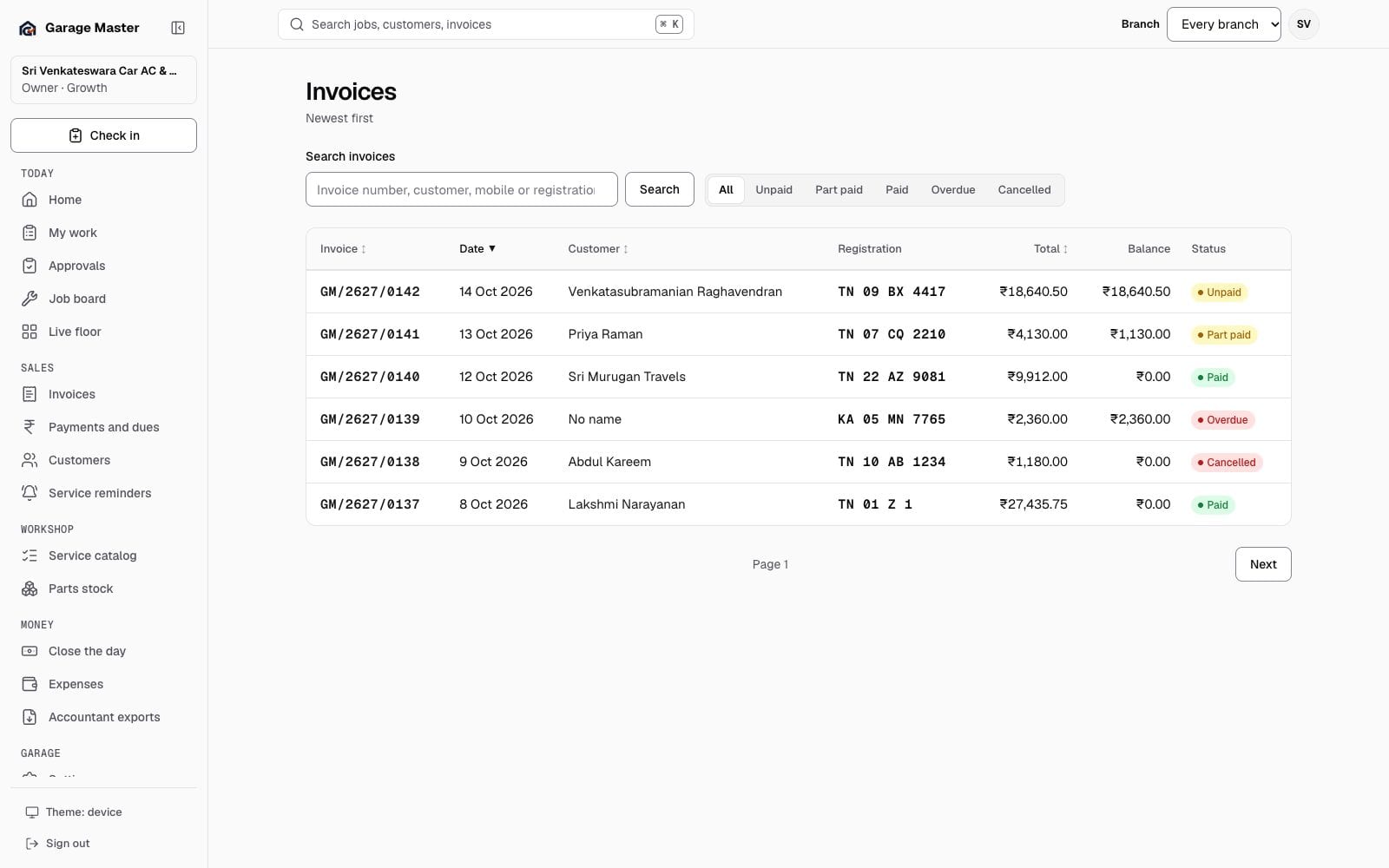
Garage Master invoice list with synthetic customer names, numbers, dates and balances.
Invoice listSales · sample dataSales
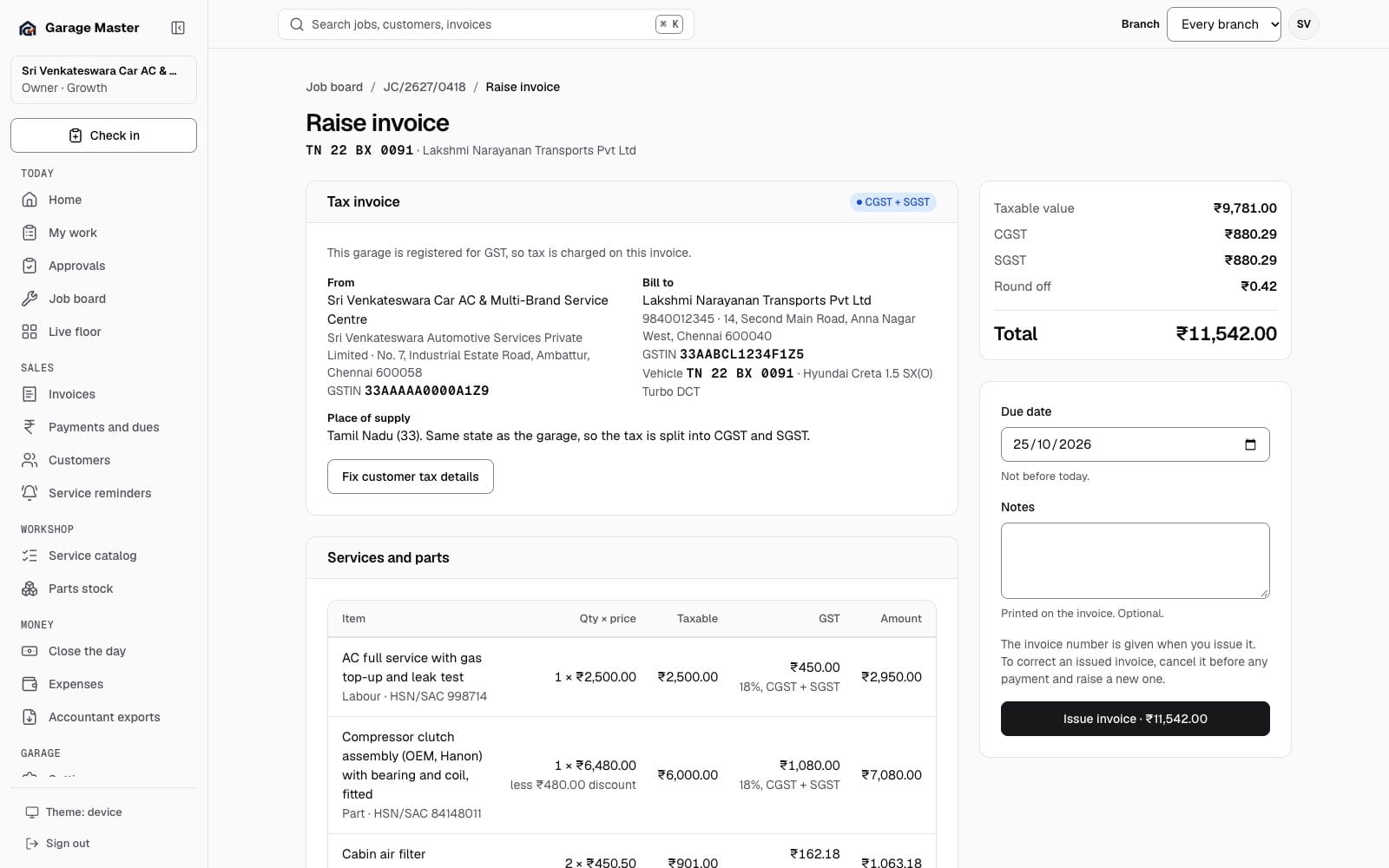
Garage Master tax invoice screen with CGST and SGST, customer GSTIN, line tax and a total, using synthetic records.
Raise a tax invoiceSales · sample dataSales
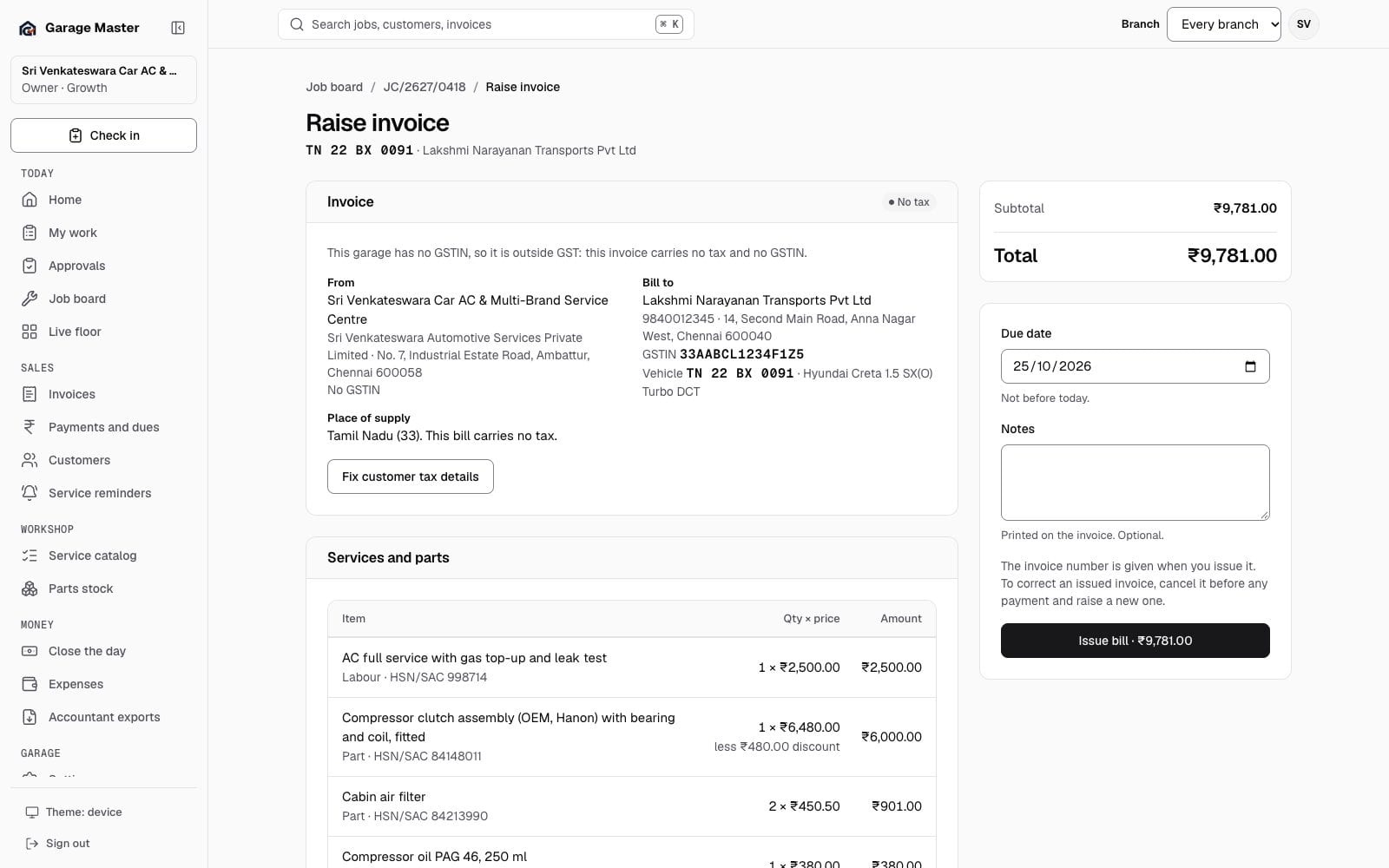
Garage Master non-GST bill screen for a garage with no GSTIN, showing no tax columns, using synthetic records.
Raise a non-GST billSales · sample dataSales
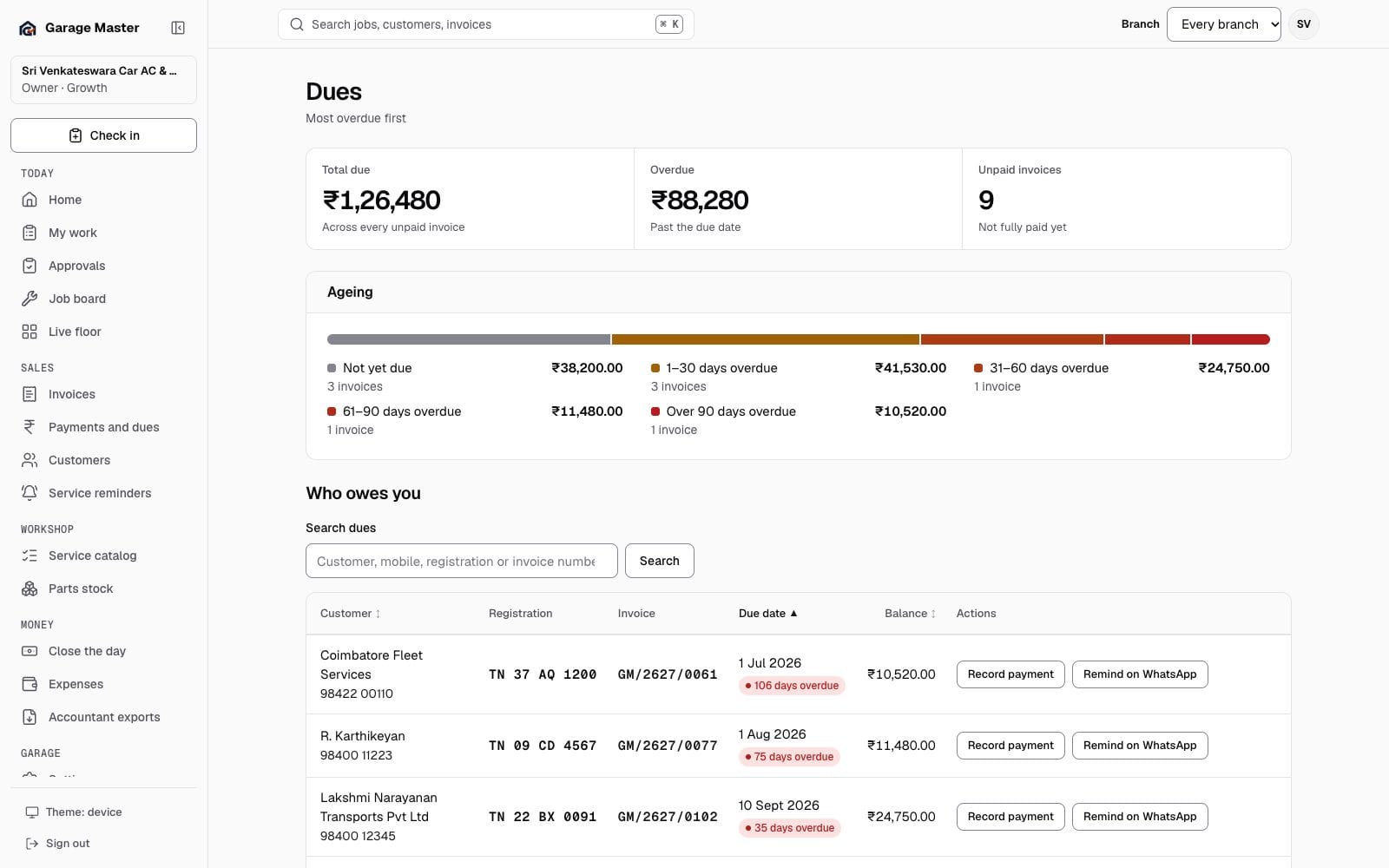
Garage Master dues screen with outstanding invoices, due dates and balances, using synthetic records.
Payments and duesMoney · sample dataSales
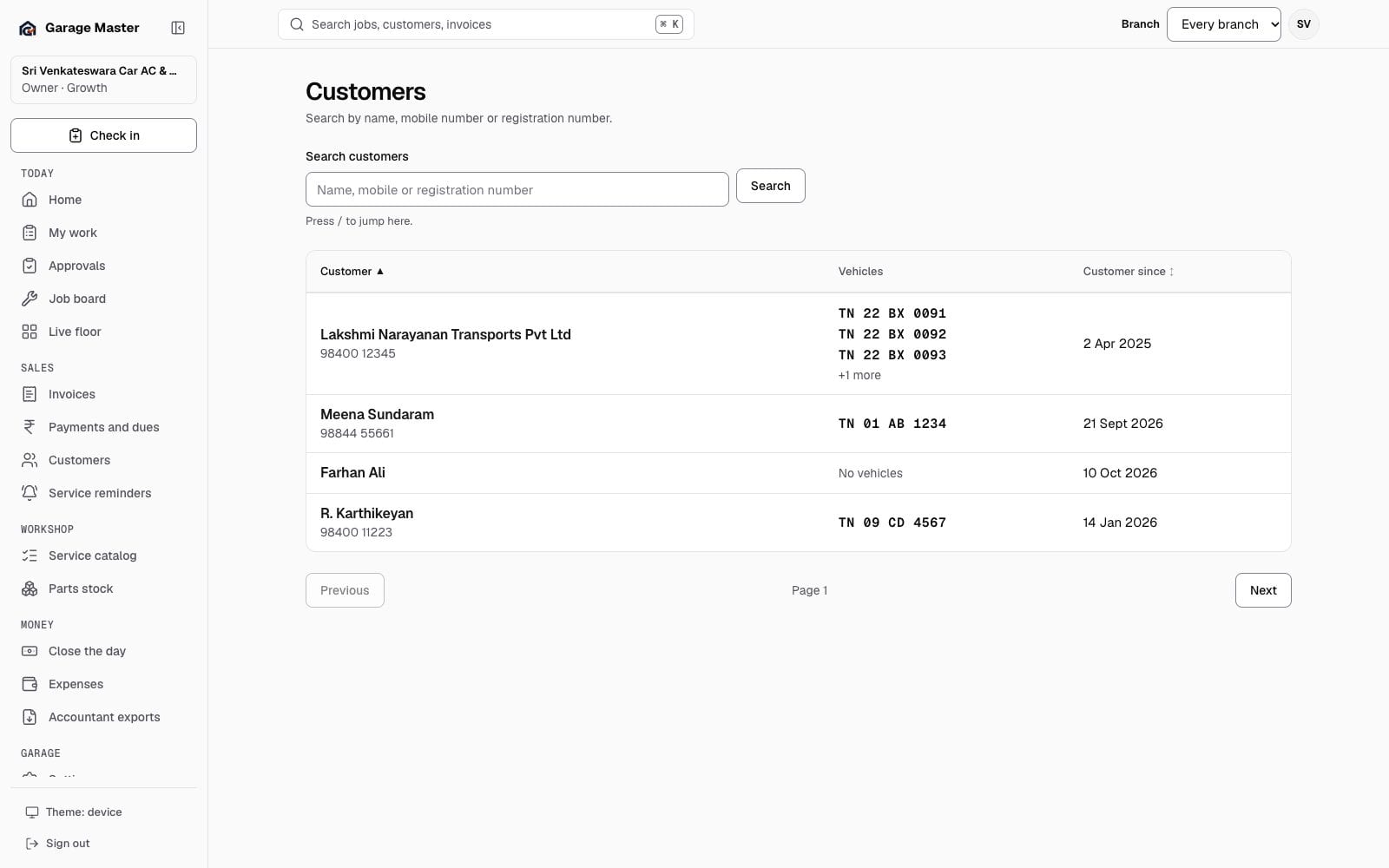
Garage Master customer list with synthetic names, vehicles and outstanding balances.
CustomersSales · sample dataSales
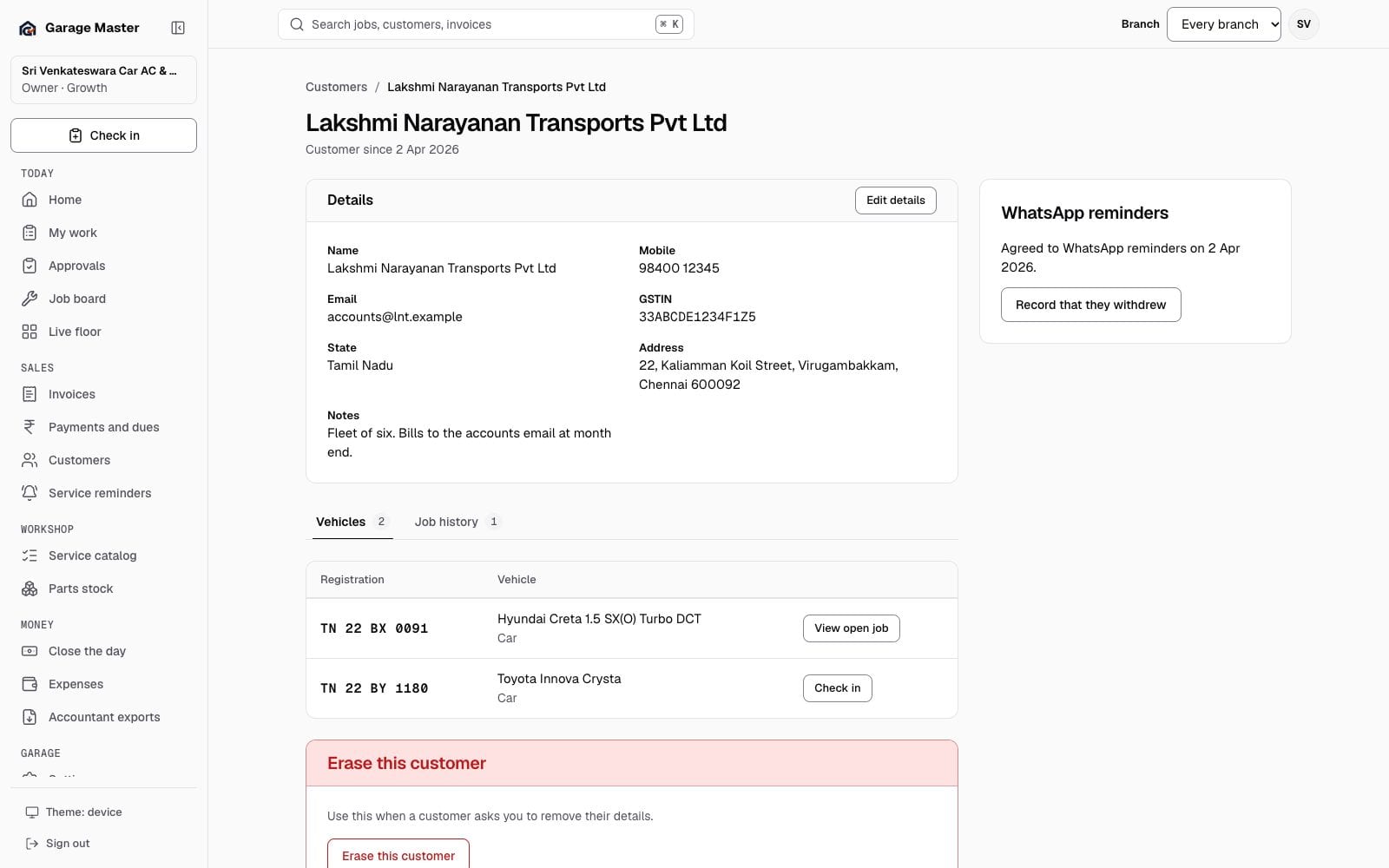
Garage Master customer record with vehicles, job history and balances, using synthetic records.
Customer recordSales · sample dataSales
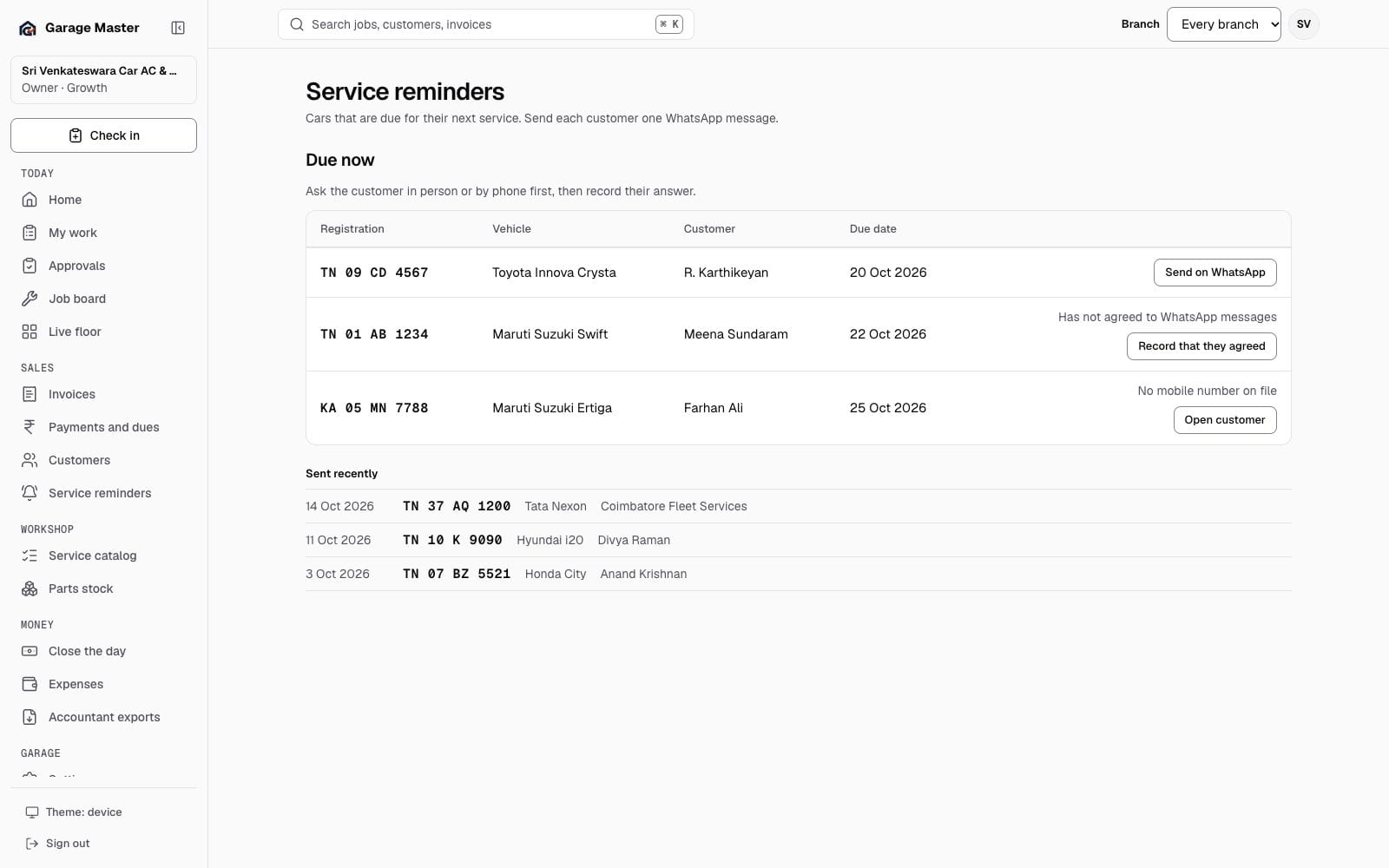
Garage Master service reminders screen with cars due and recent reminders, using synthetic records.
Service remindersSales · sample dataSales

Workshop

Prices and parts

The garage's own catalog and the parts it has counted.
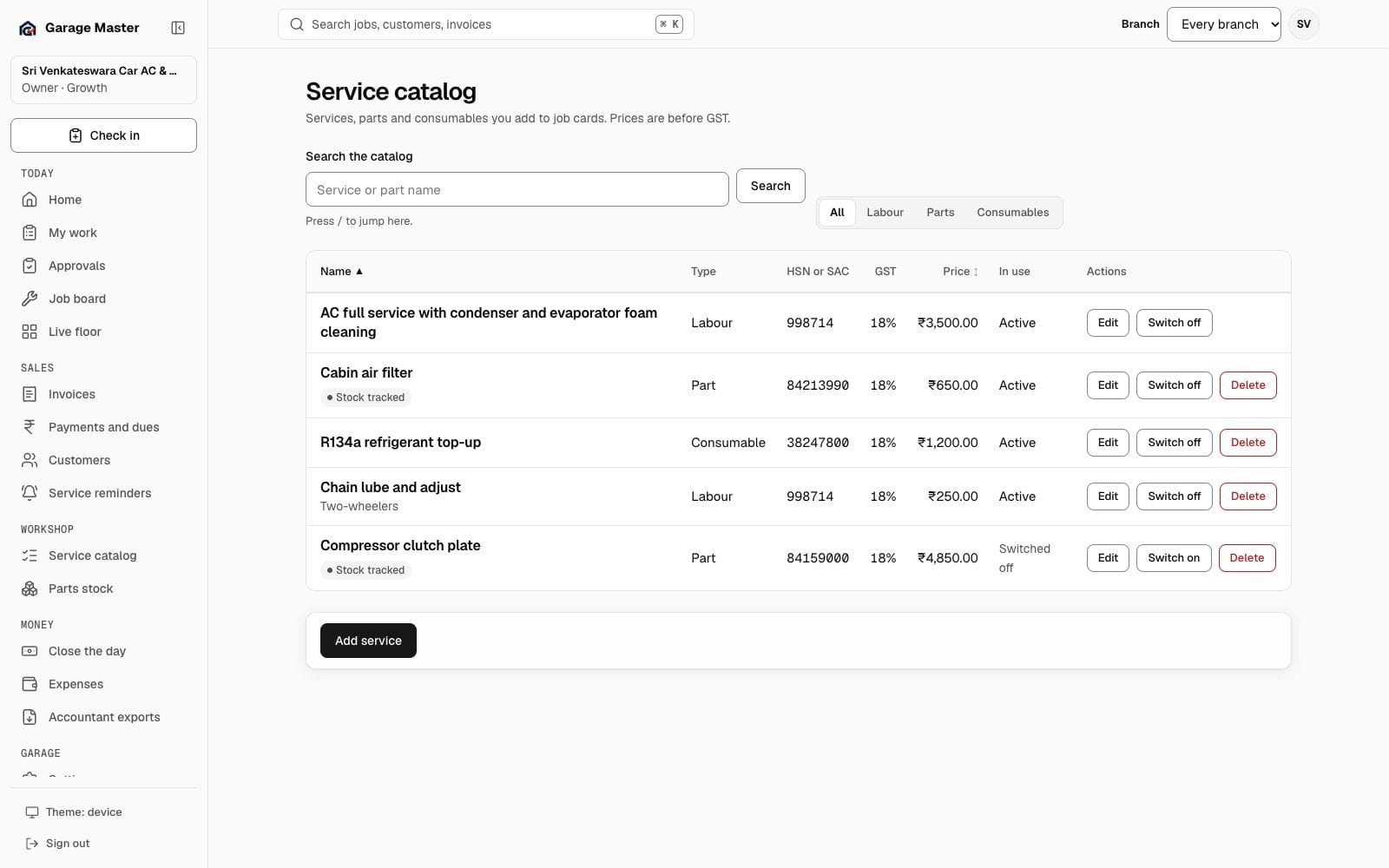
Garage Master service catalog with labour, parts, prices, GST rates and HSN or SAC codes, using synthetic records.
Service catalogWorkshop · sample dataWorkshop
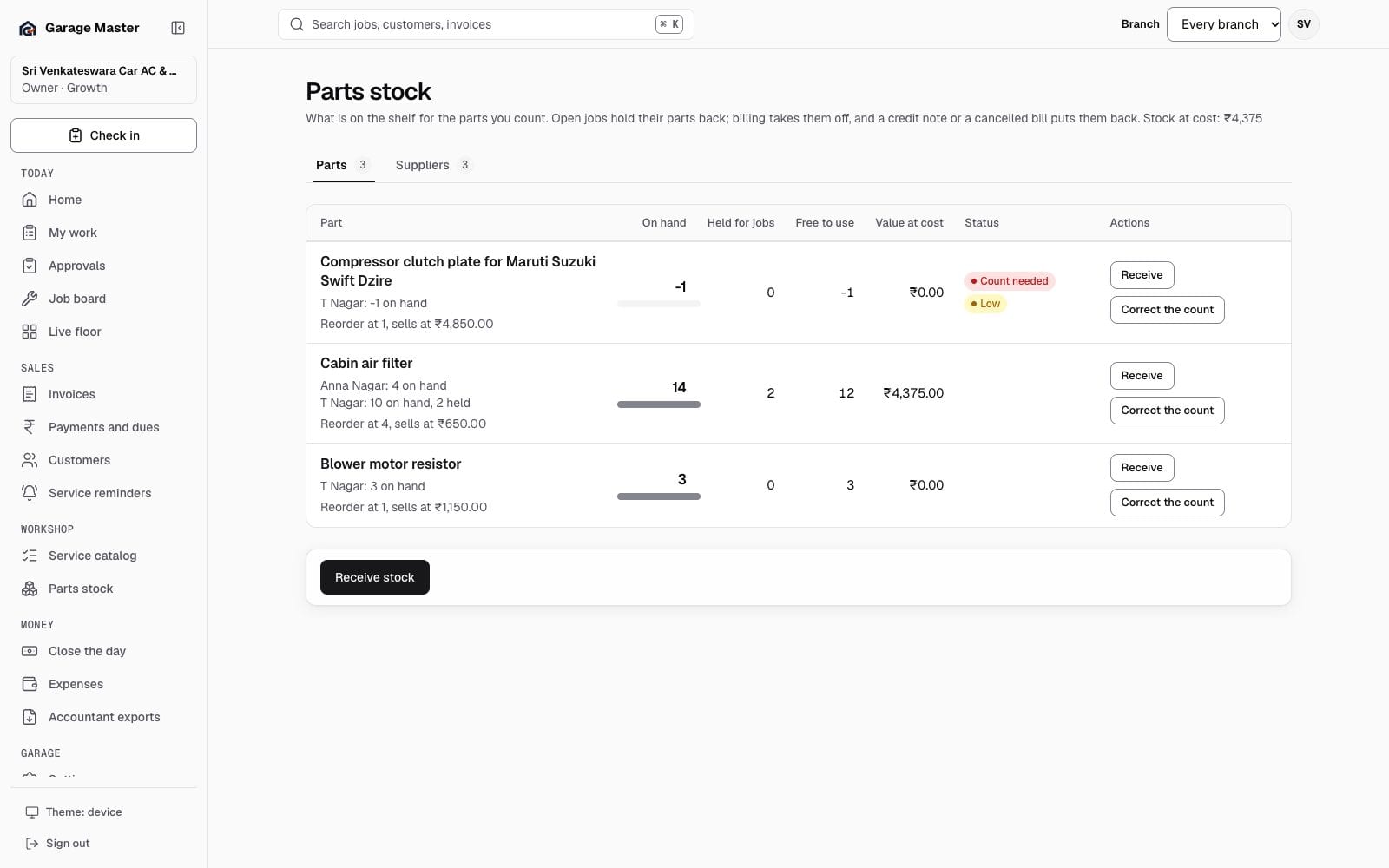
Garage Master parts stock with counts, held quantities, reorder levels and values, using synthetic records.
Parts stockWorkshop · sample dataWorkshop

Money

The money after the bill

Expenses, the cash drawer and the files the accountant asks for.
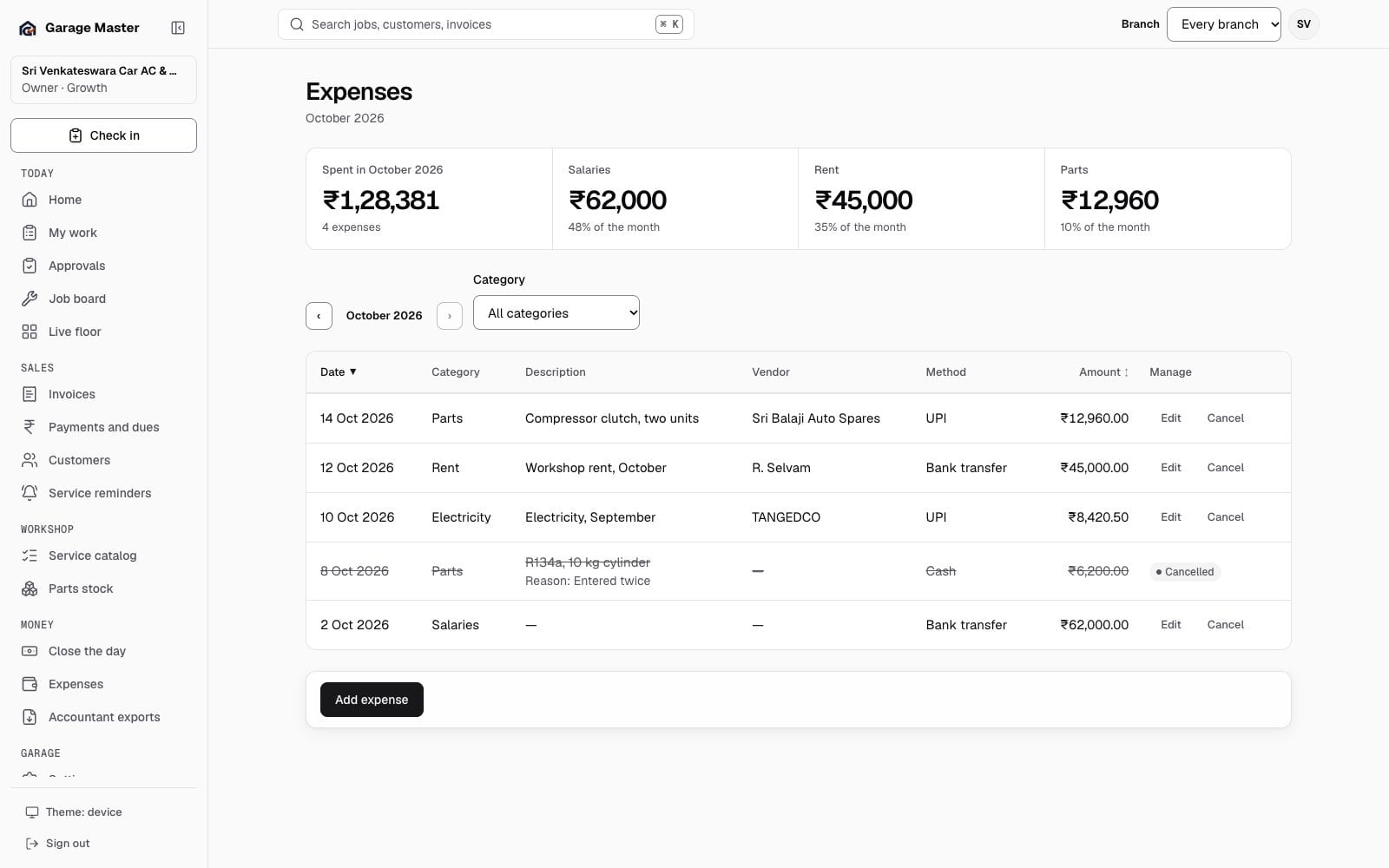
Garage Master expenses list by category and month, using synthetic records.
ExpensesMoney · sample dataMoney
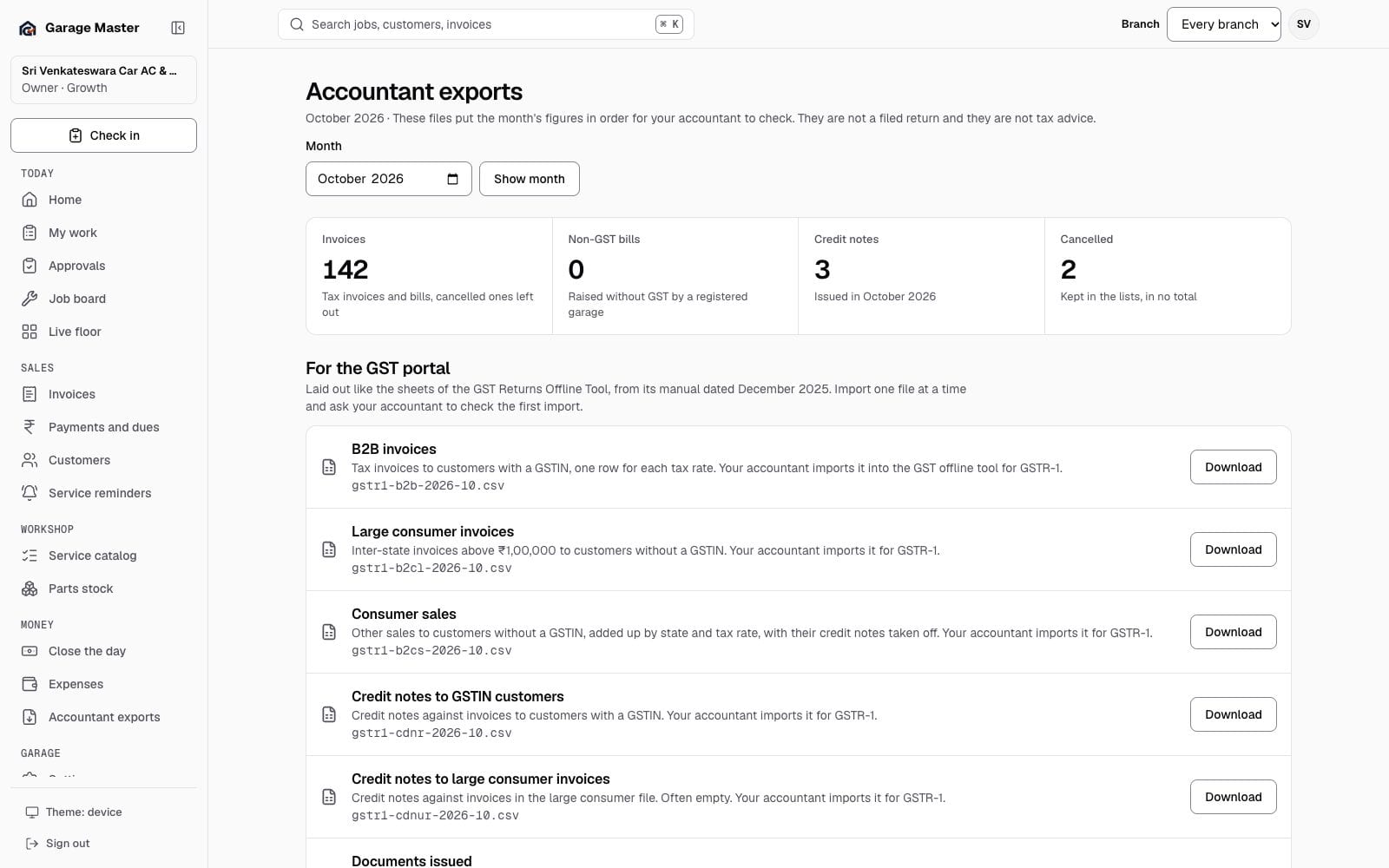
Garage Master accountant exports for one month with GSTR-1 sections and working sheets, using synthetic records.
Accountant exportsMoney · sample dataMoney
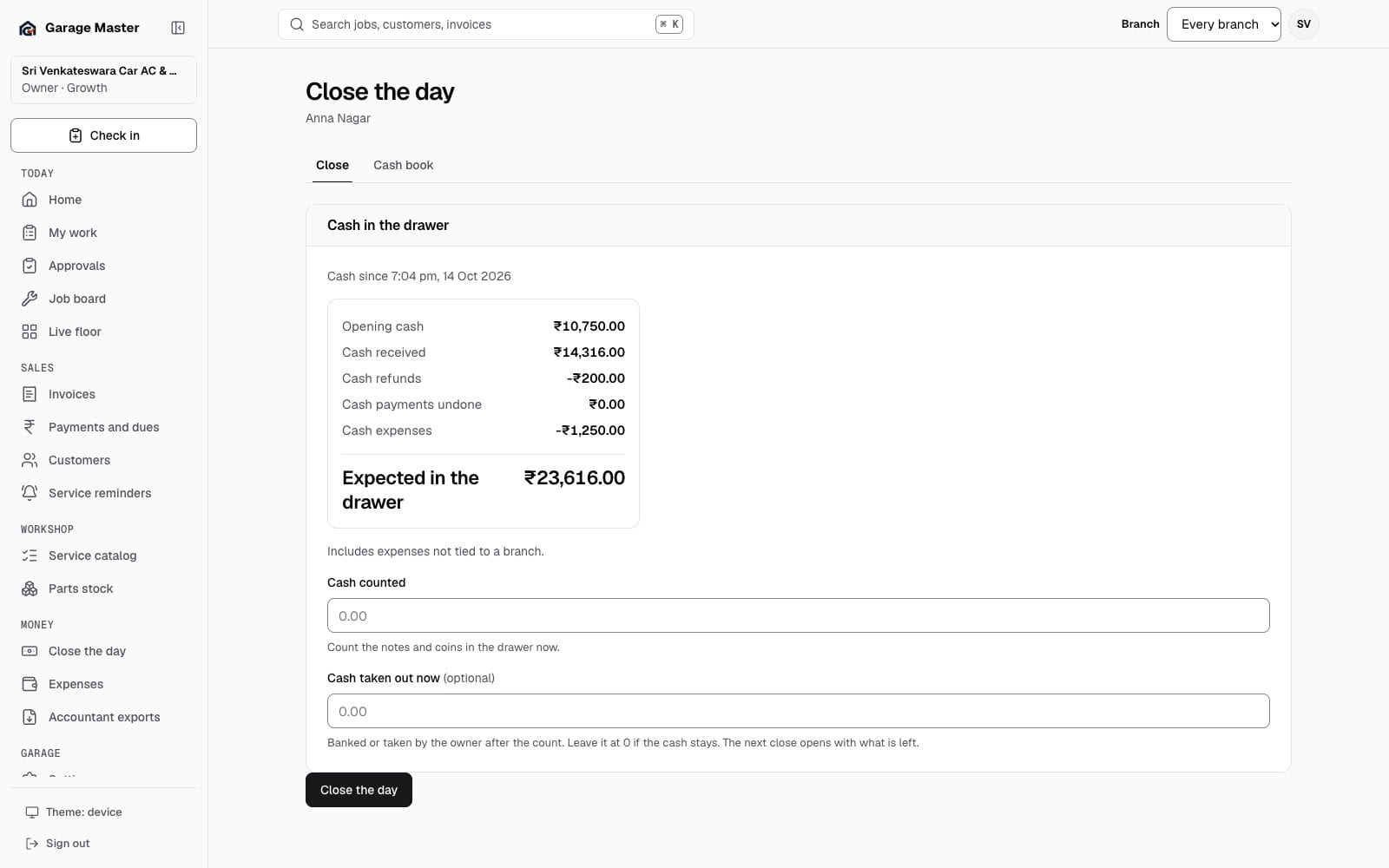
Garage Master day close screen with opening cash, collections, expenses and counted cash, using synthetic records.
Close the dayMoney · sample dataMoney

Garage & account

The garage behind the work

People, bill identity, the signed-in person, the plan and the AI plumbing.
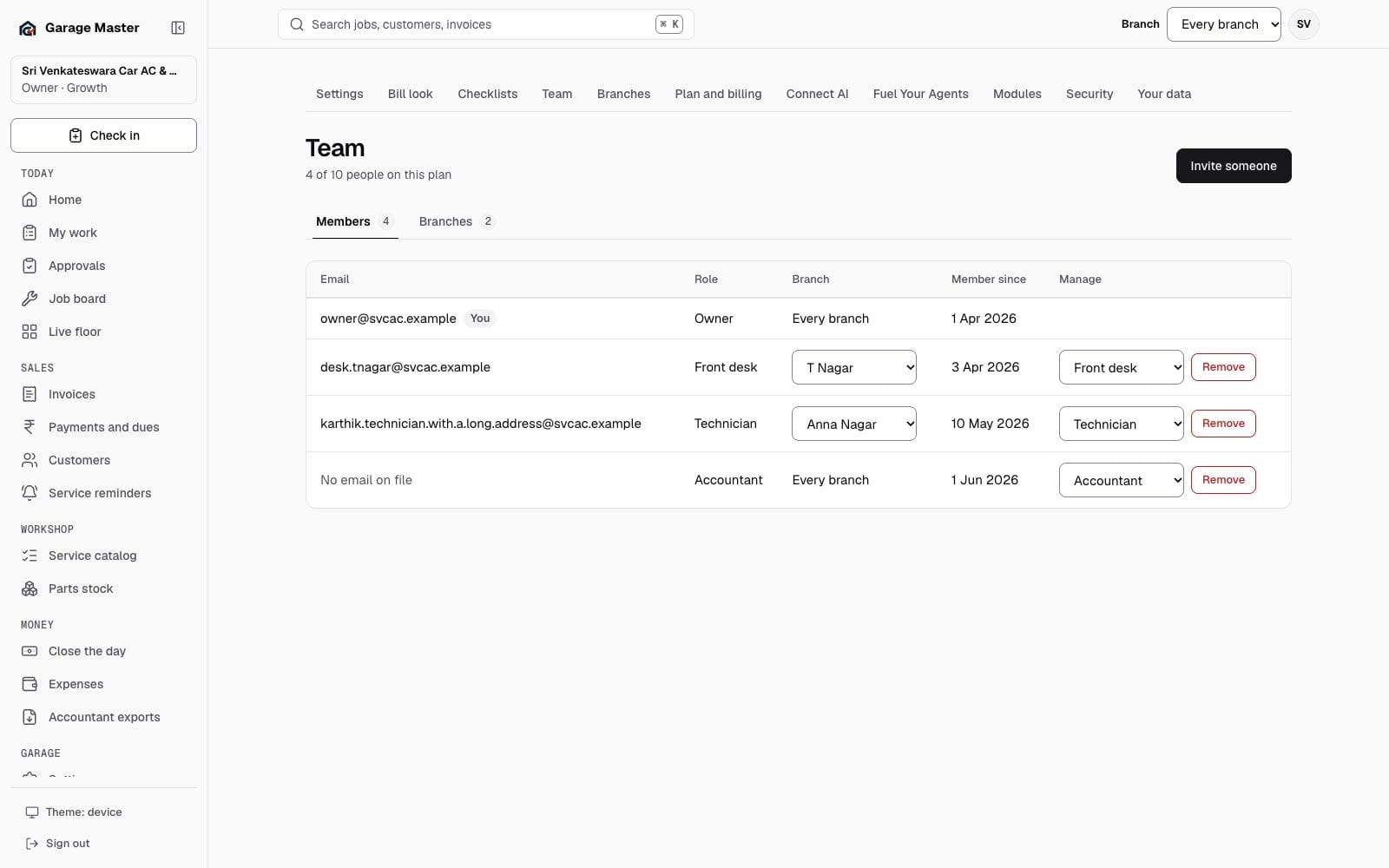
Garage Master team screen with roles and seats, using synthetic records.
TeamGarage · sample dataGarage & account
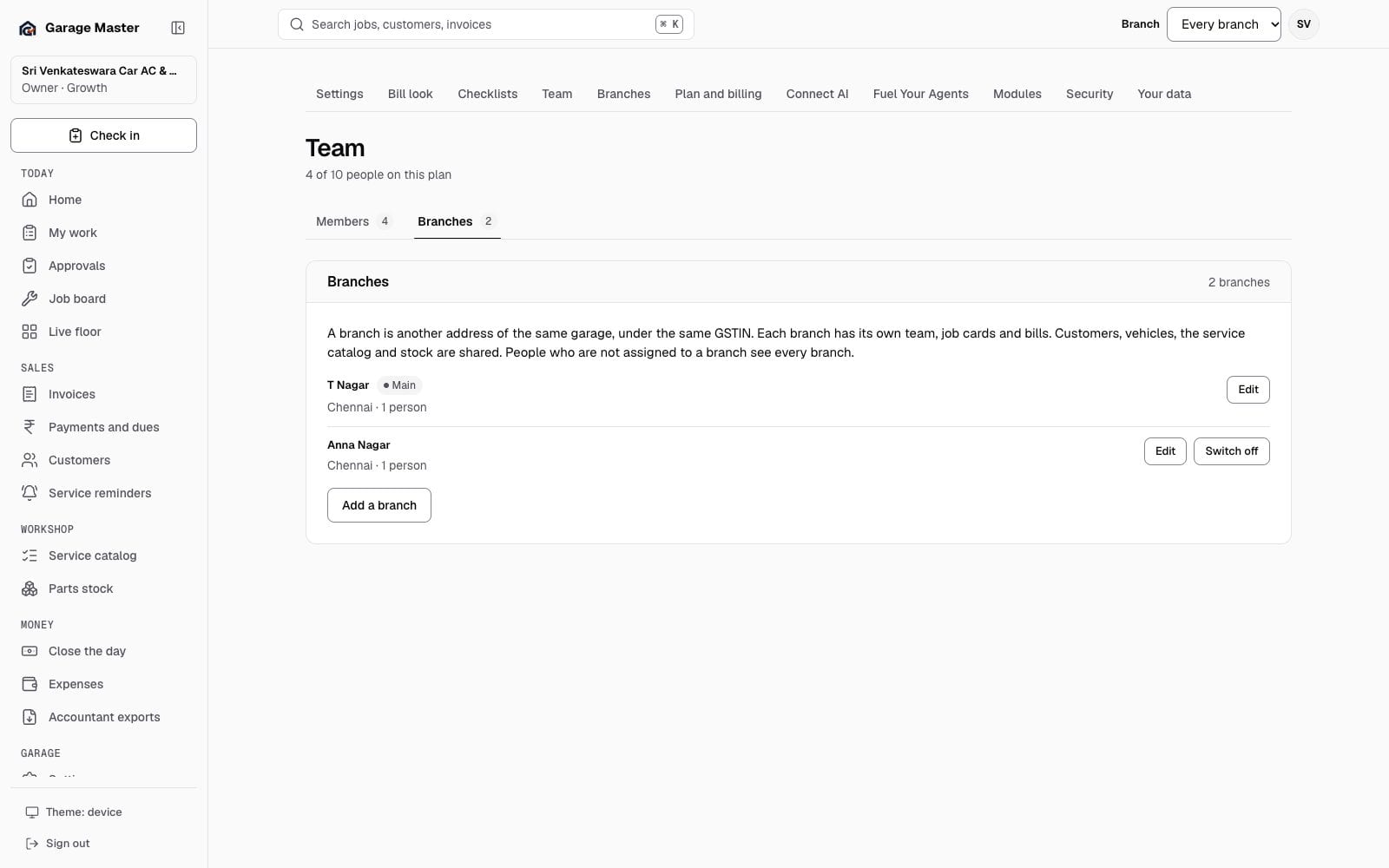
Garage Master branches tab with branch names and staff counts, using synthetic records.
BranchesOwners · sample dataGarage & account
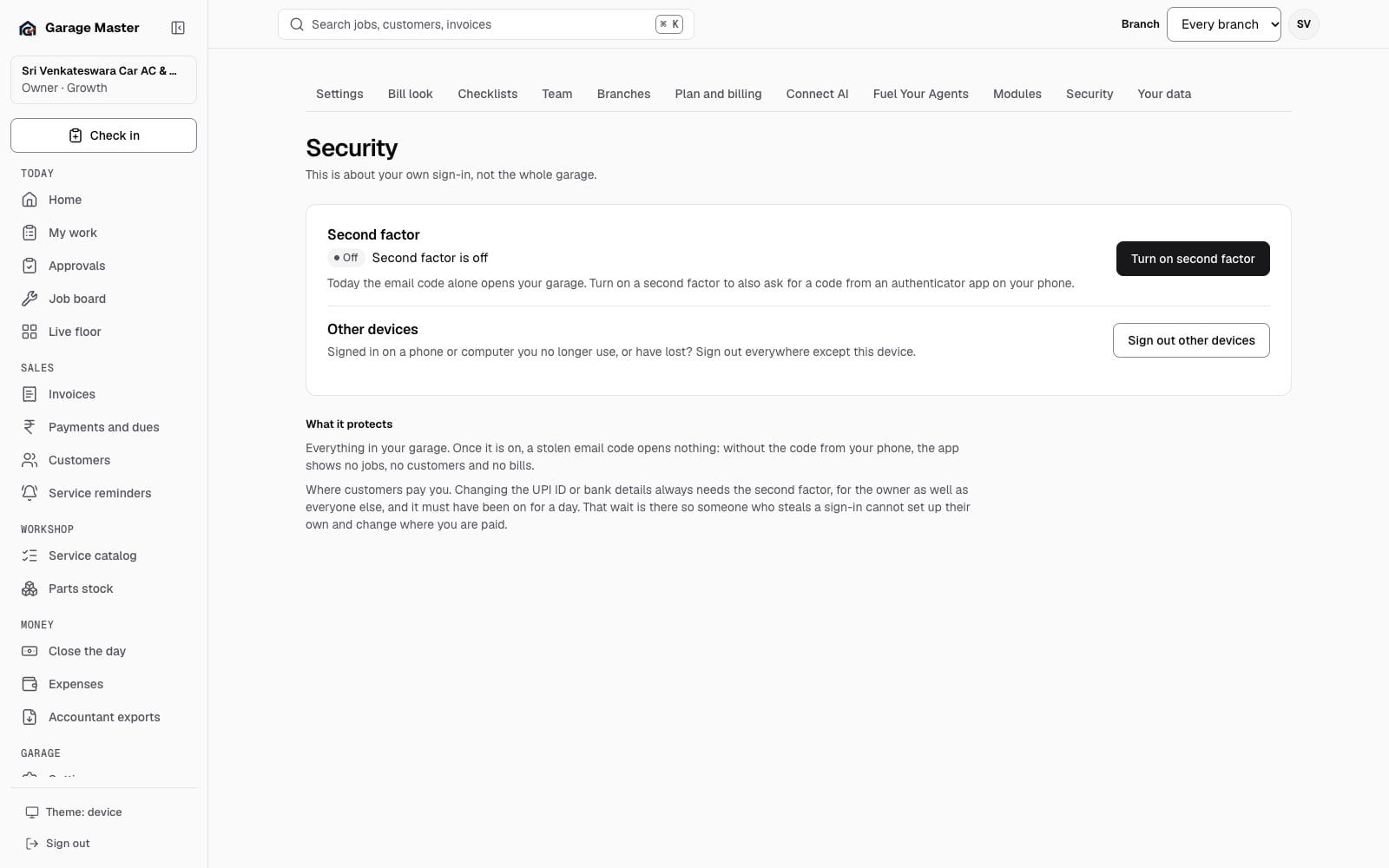
Garage Master security screen with second factor and session controls, using synthetic records.
Sign-in and securityEvery role · sample dataGarage & account
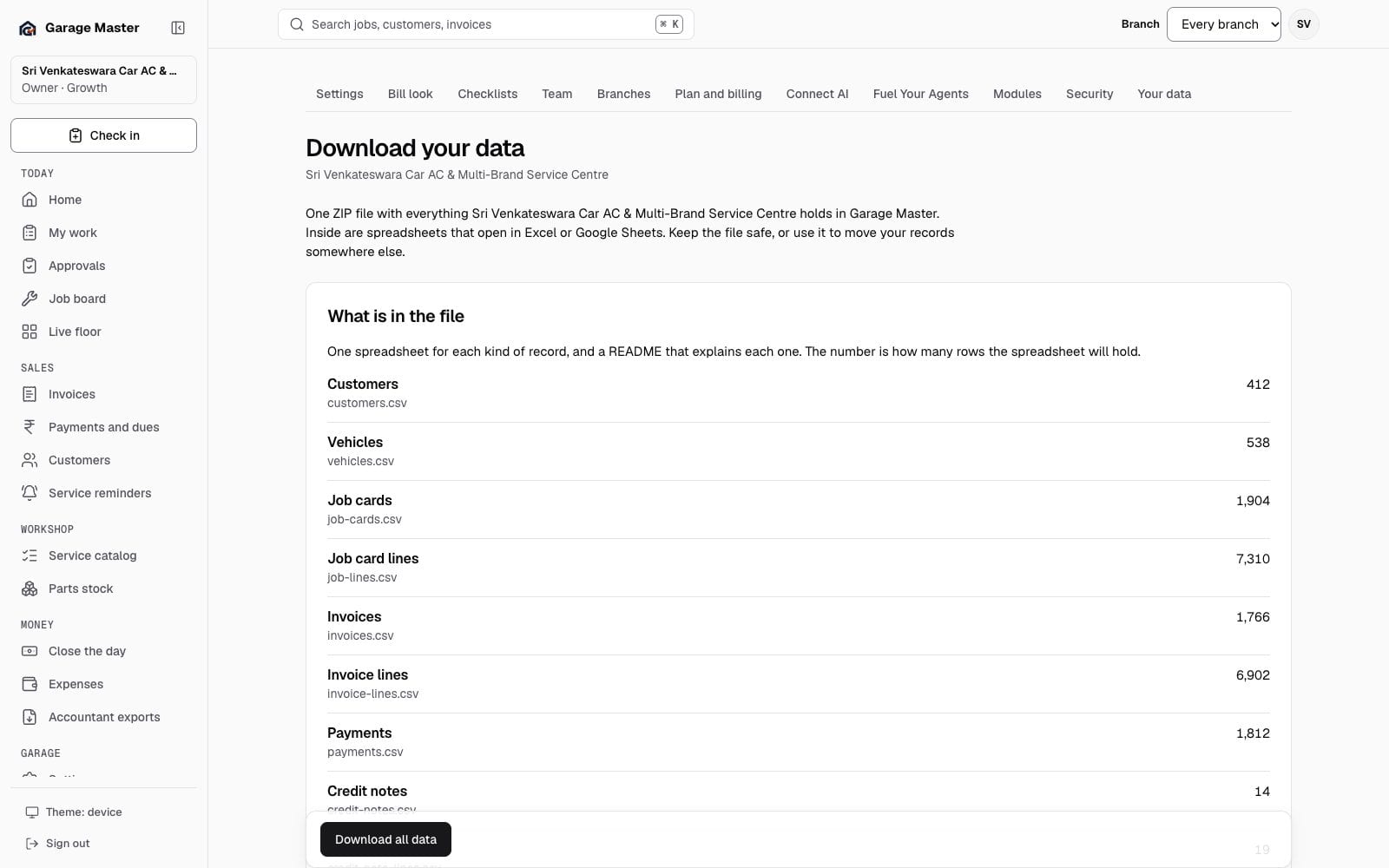
Garage Master data export screen with record counts and download limits, using synthetic records.
Your dataOwner · sample dataGarage & account
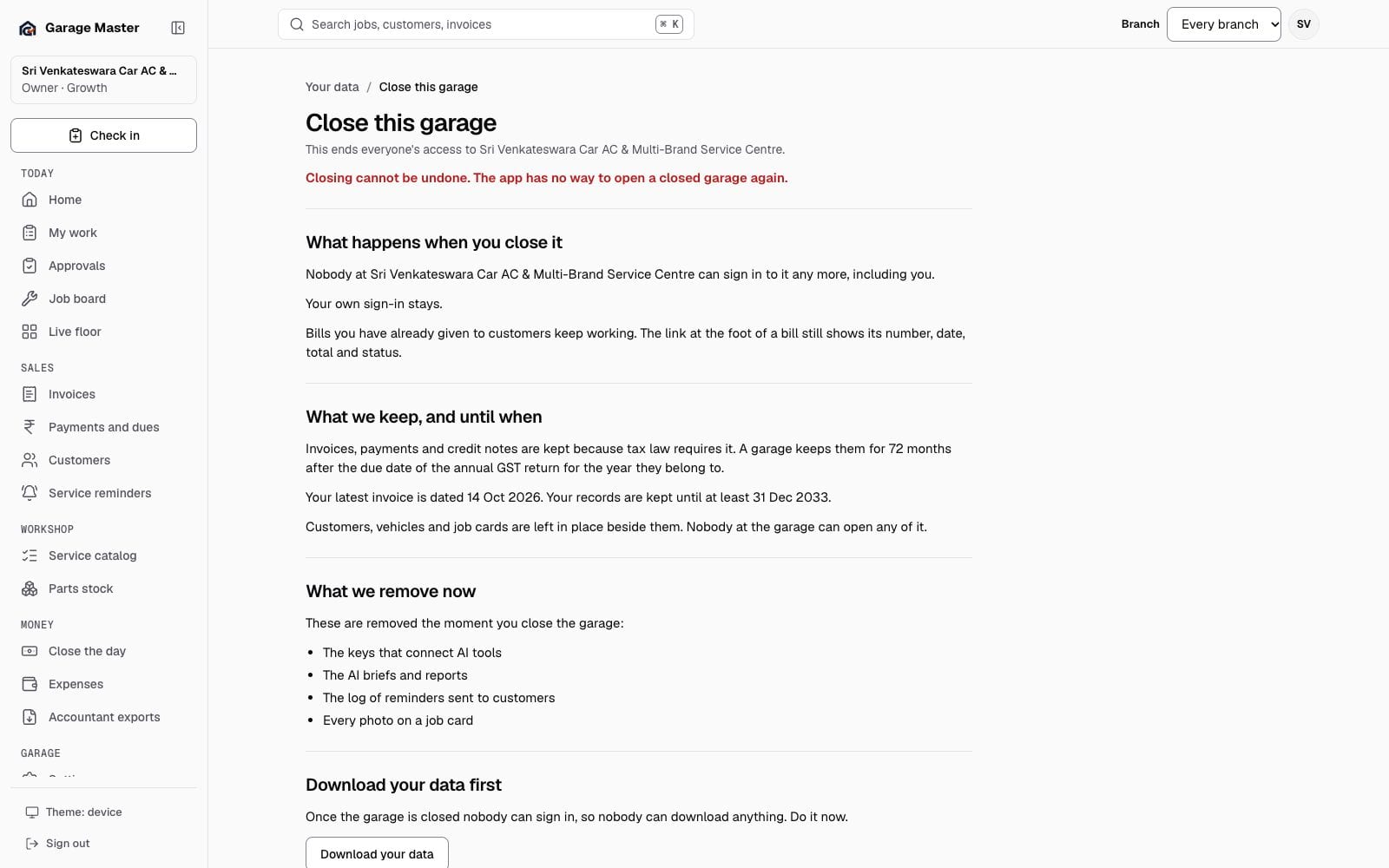
Garage Master close-garage screen with what is kept and what ends, using synthetic records.
Close this garageOwner · sample dataGarage & account
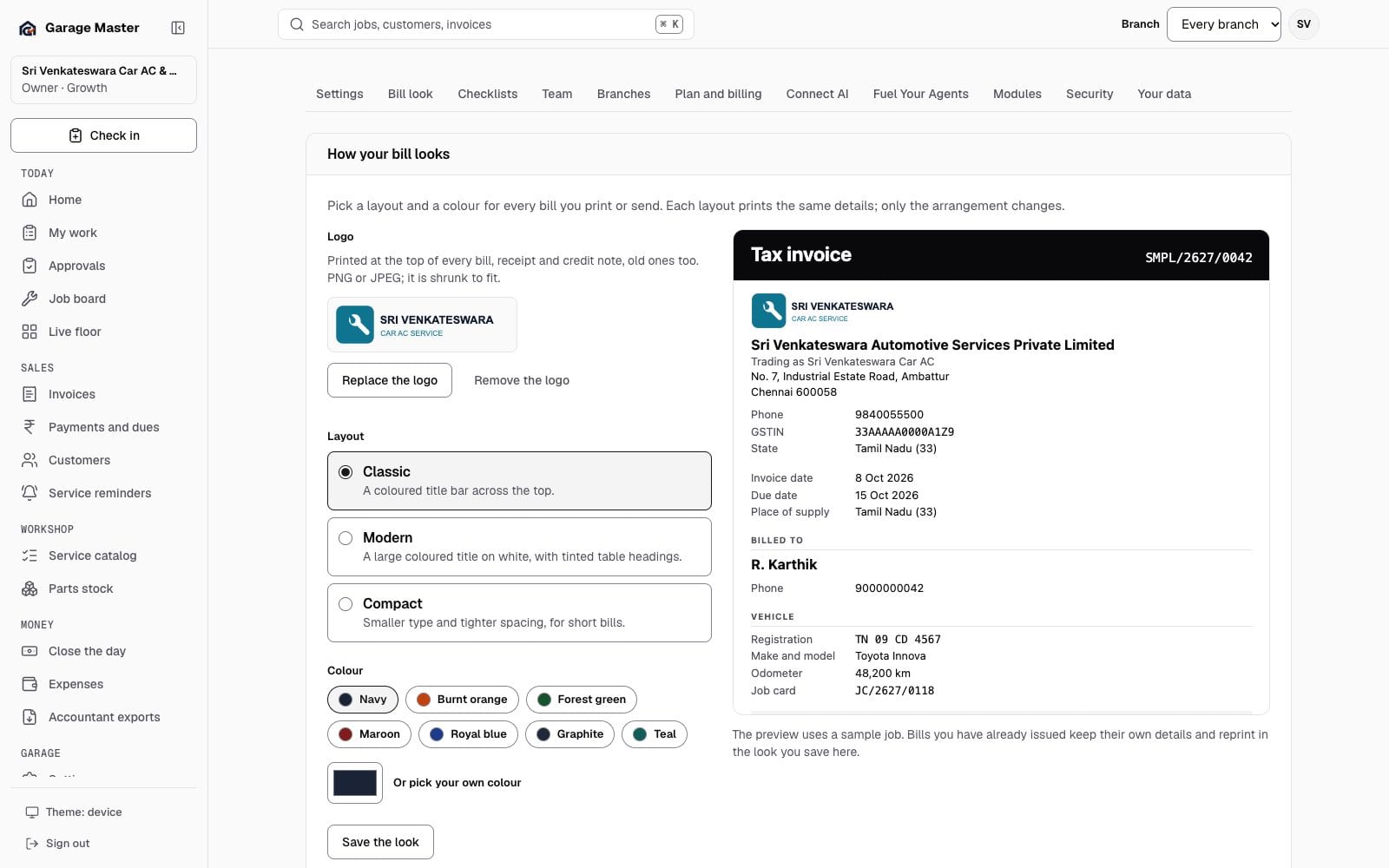
Garage Master bill look screen with layout, colour and logo controls and a printed preview, using synthetic records.
Bill look and logoGarage · sample dataGarage & account
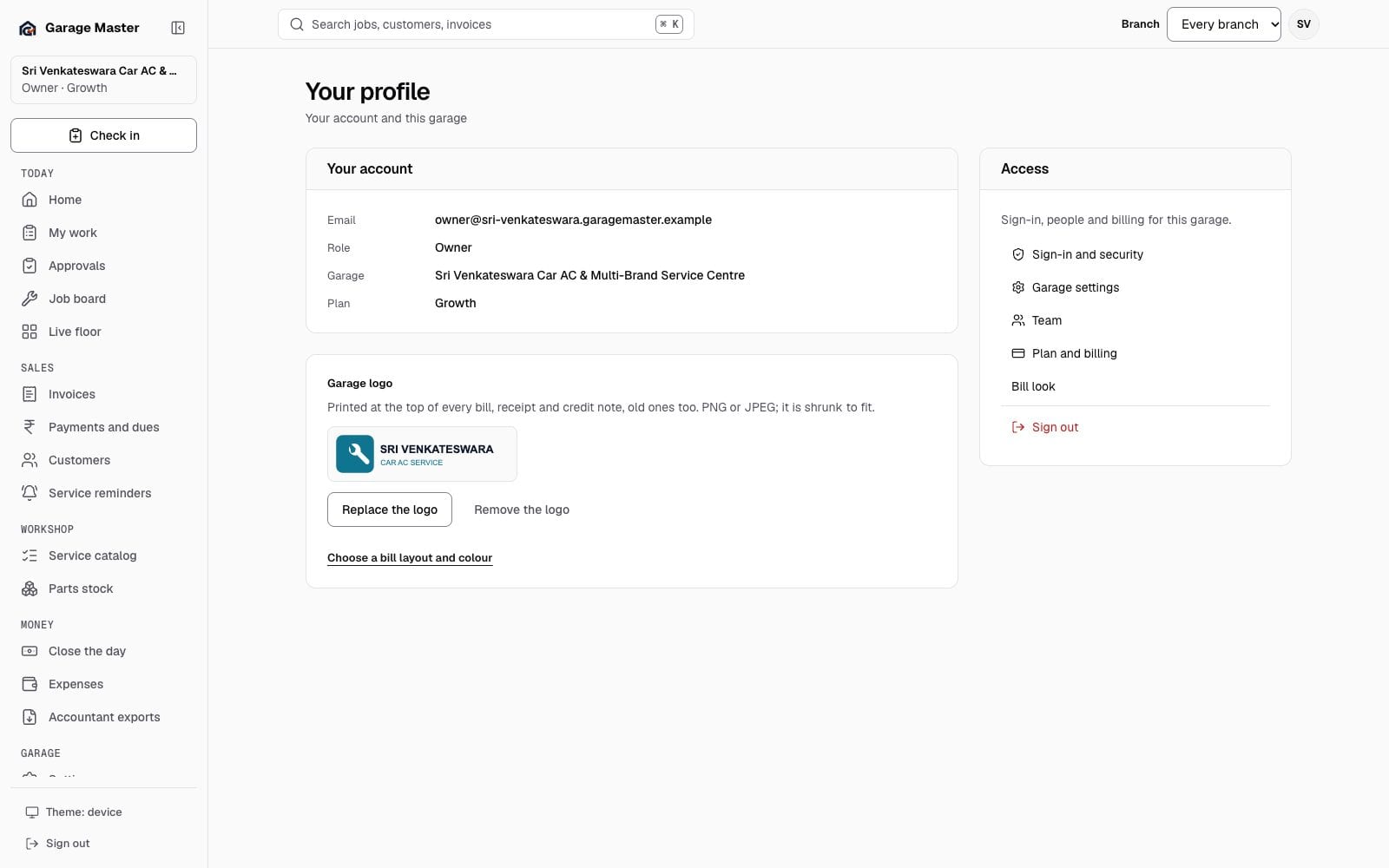
Garage Master profile page with account details, garage logo and access links, using synthetic records.
Your profileAccount · sample dataGarage & account
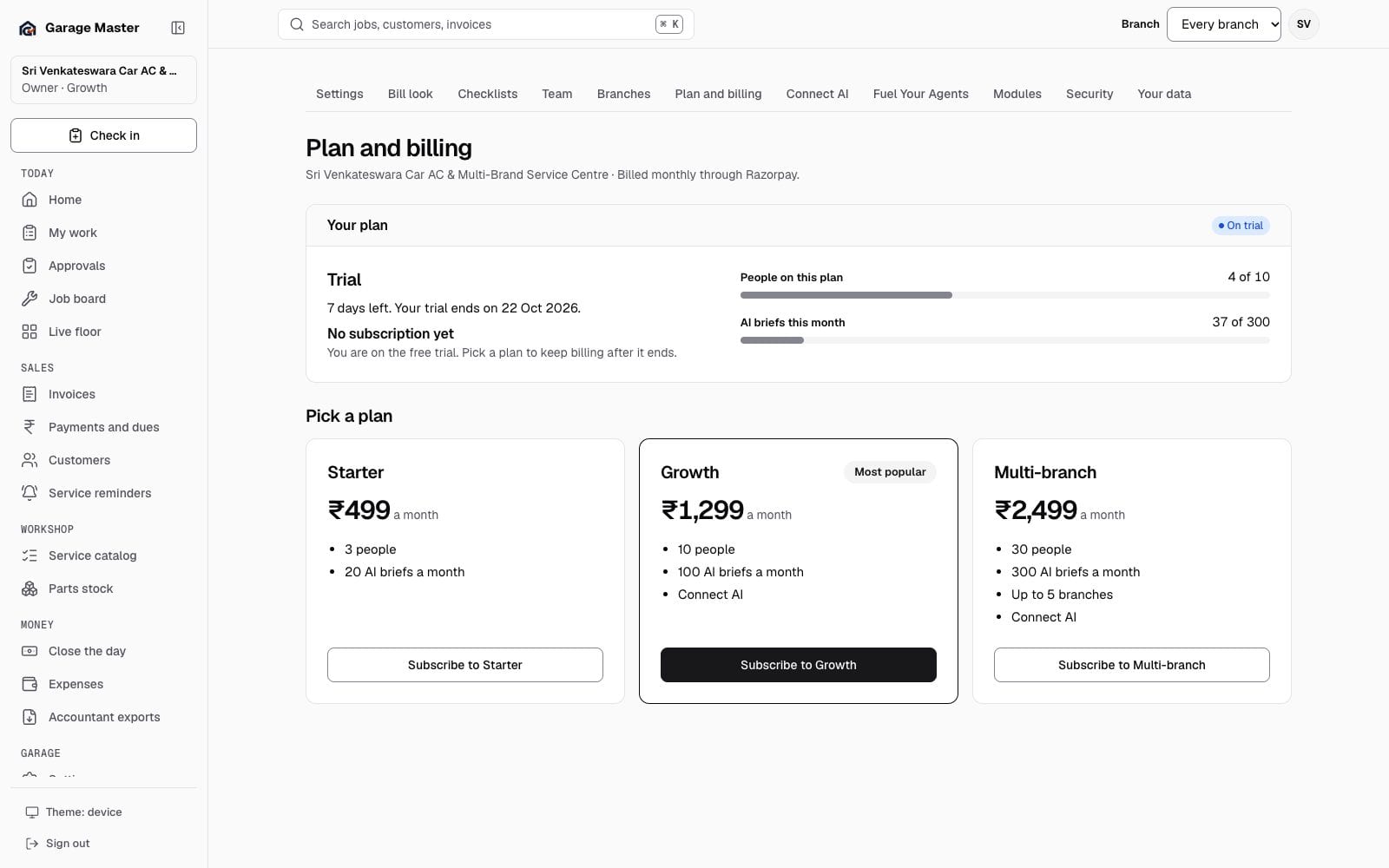
Garage Master plan and billing screen with plans and usage, using synthetic records.
Plan and billingOwner · sample dataGarage & account
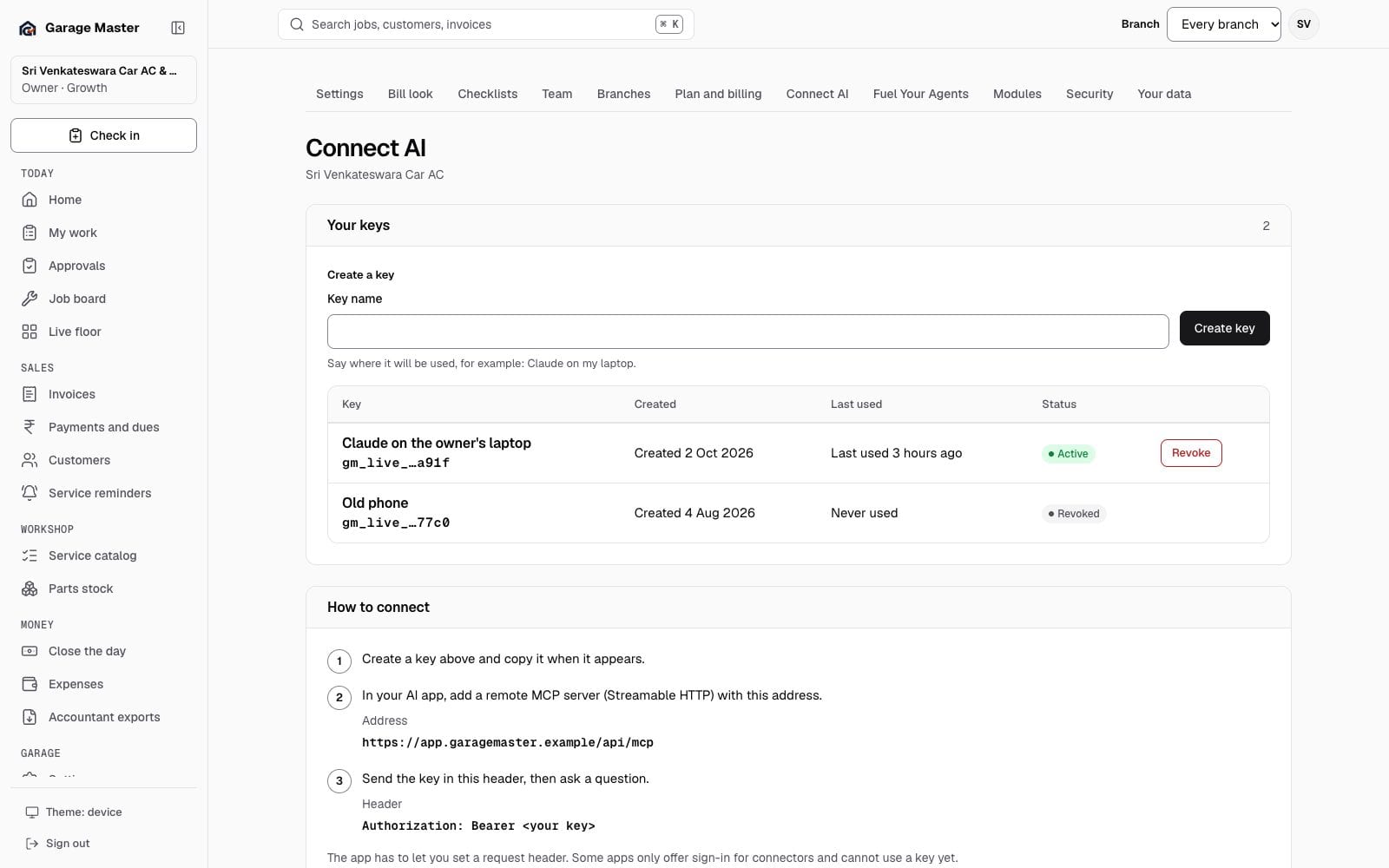
Garage Master Connect AI screen with a read-only MCP key, using synthetic records.
Connect AIOwner · sample dataGarage & account
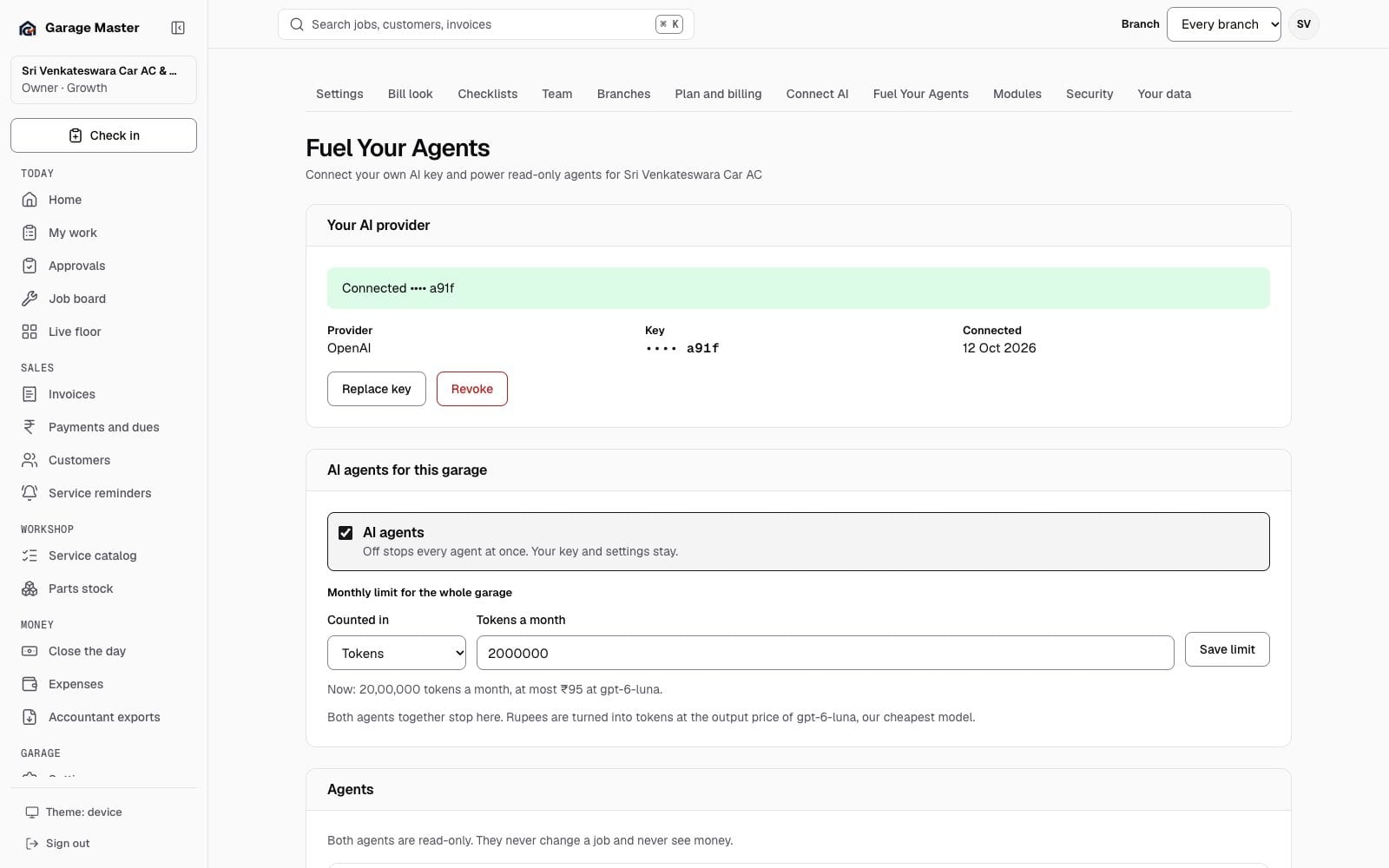
Garage Master Fuel Your Agents screen with the garage's AI key, agents and monthly usage, using synthetic records.
Fuel Your AgentsOwner · sample dataGarage & account
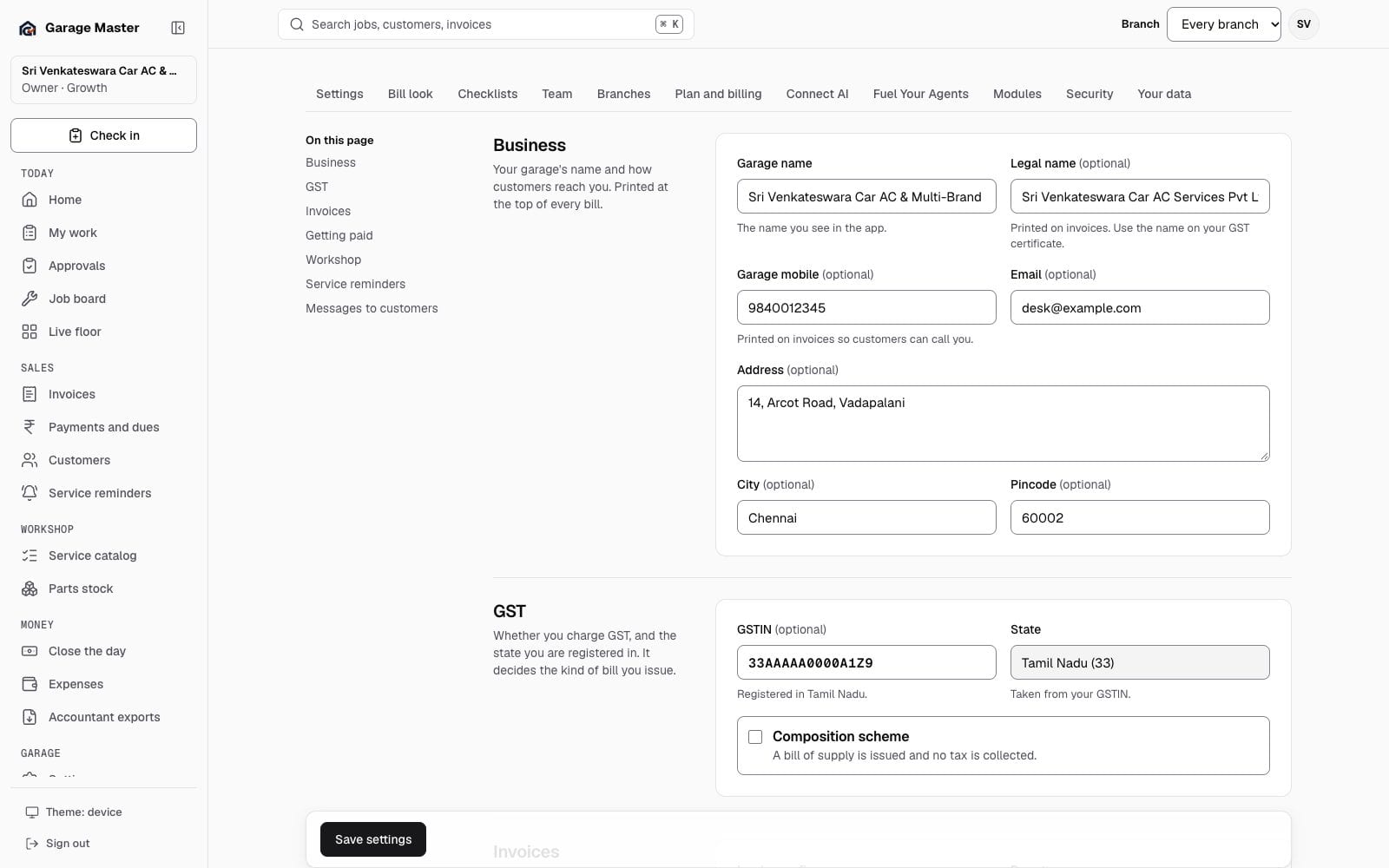
Garage Master garage settings with business, GST, invoice and payment fields, using synthetic records.
Garage settingsGarage · sample dataGarage & account

Every image on this page is a JPEG from the development screen gallery. Garage names, people, vehicles and figures are synthetic. These are not customer results and not a promise that every record will look the same in your garage. The operator console and the customer's private estimate, bill-check and reminder links are separate journeys and are not part of this garage gallery.

Your first bay

See the screen that matches your desk.

Start with the job card, the bill or the owner's view. Each capability page explains what the screen does, what it needs and what it deliberately does not do.